
If you’re running an analytics platform, you’re likely trying to maintain stability while managing a growing backlog of “wouldn’t it be nice if…” requests from business users—faster workbooks, simplified filtering, richer visuals, easier sharing, and more self-service insights without increasing administrative overhead.
Oracle Analytics Server 2026 is designed to address those everyday challenges head-on. Below is a customer-focused look at what you gain by adopting this release—organized around the outcomes that matter most to OAS customers: adoption, performance, governed self-service, and operational efficiency.
More capability for business users
Oracle Analytics Server 2026 makes common workbook interactions smoother and more powerful—especially around filtering, selection, and “getting to the answer faster”:
- The improved Limit Values By behavior for filters is enabled by default (with an option for admins to revert), which can improve the user experience and consistency when filters interact
- Users can more easily work with custom workbook states via a redesigned State menu
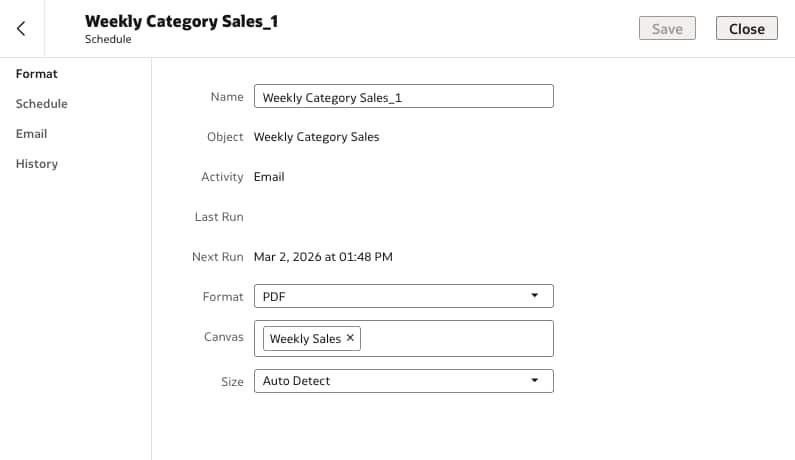
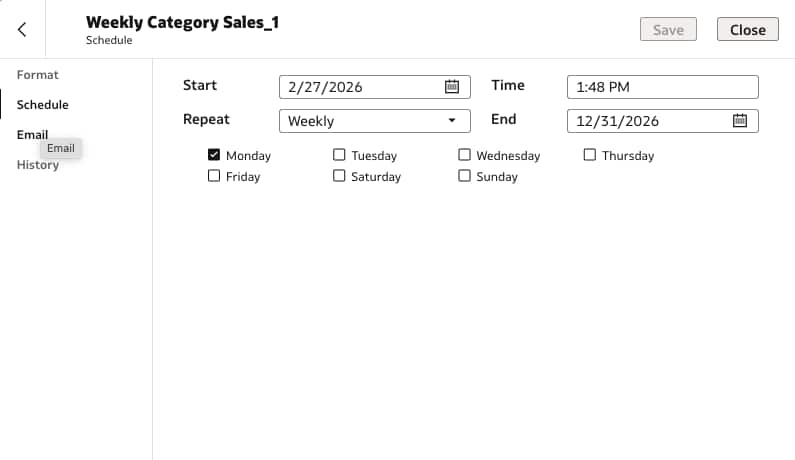
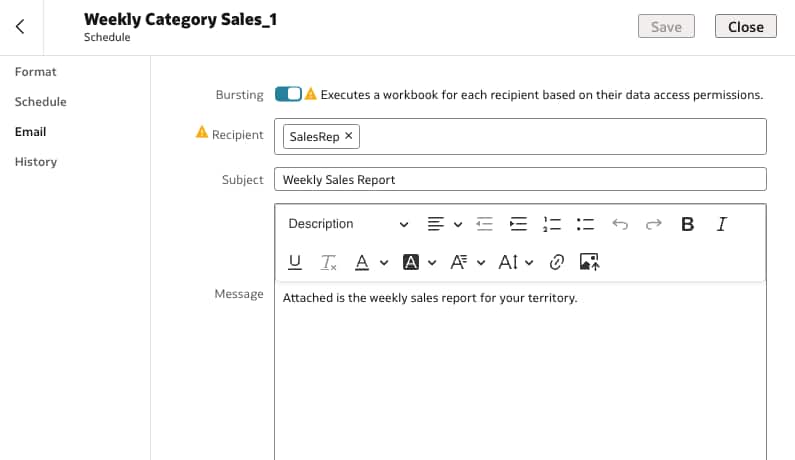
Many customers struggle with distribution. Dashboards and workbooks are great, but stakeholders still ask for automated email delivery.
Oracle Analytics Server 2026 adds the Workbook Email Scheduler so you can schedule recurring emails with workbook visualizations delivered as XLSX, PDF, or PNG. This helps analytics content reach stakeholders where they are, while keeping the source of truth in Oracle Analytics Server.
Stronger visualization and formatting features
If you’ve spent time building “almost-right” visuals due to platform limitations, Oracle Analytics Server 2026 closes several gaps:
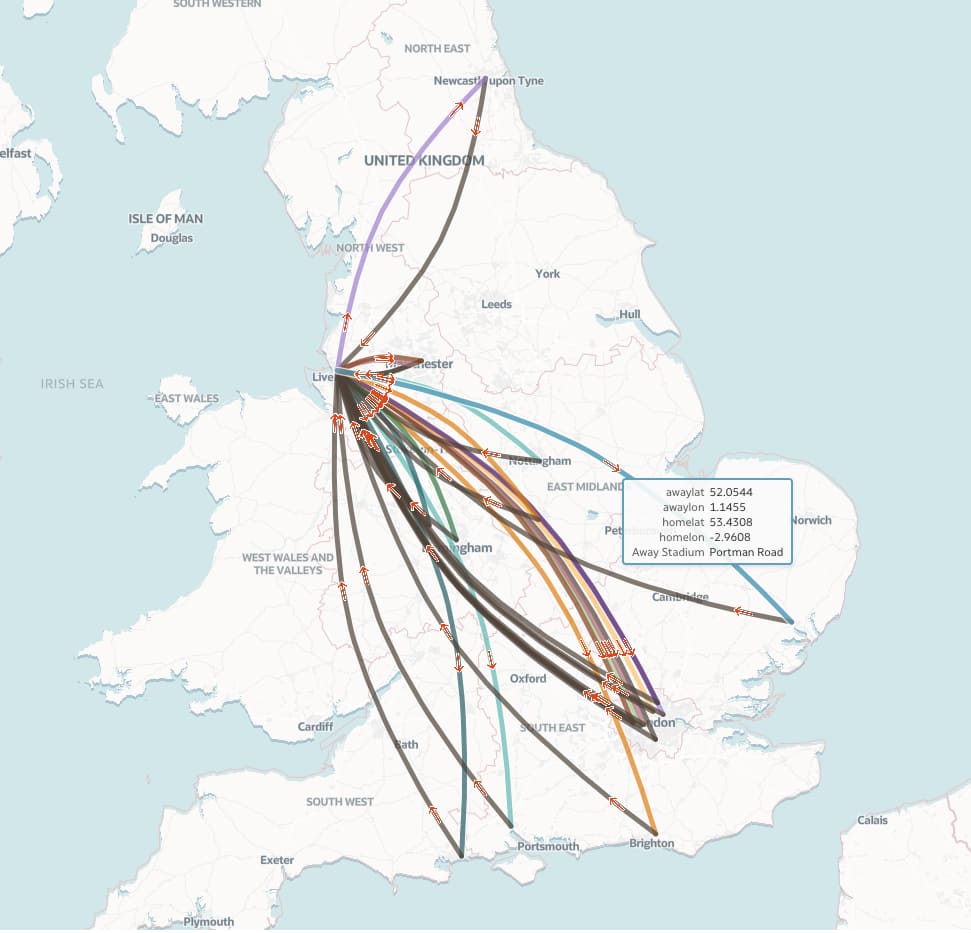
- More powerful dynamic lines in maps, including curved and bi-directional lines, arrows, attribute-based linking, and geometry support—useful for logistics, flows, networks, and “connections” storytelling
- Vector layers in maps to enhance mapping capabilities
- High-scale visuals such as increased limits for the network visualization (up to 2,000 rows or 50 columns)
- Better formatting control: align cell values in table/pivot cells; date-based conditional formatting; and more flexible gauge label and value positioning
The net effect: teams can deliver more polished, business-friendly analytics experiences with fewer custom hacks.
Meaningful performance improvements for workbook users
Performance is often the #1 driver behind upgrade decisions because it directly impacts adoption. Oracle Analytics Server 2026 includes features aimed at making workbook interactions more consistent by providing options to use cached data for dataset queries and to load local subject area queries from cache by configuring datasets (Extracted mode) to maximize workbook performance.
These aren’t “lab features”—they map directly to user complaints like slow refreshes, inconsistent load times, and constrained exports.
Assisted experiences that help users self-serve
Oracle Analytics Server 2026 expands self-service insight features such as:
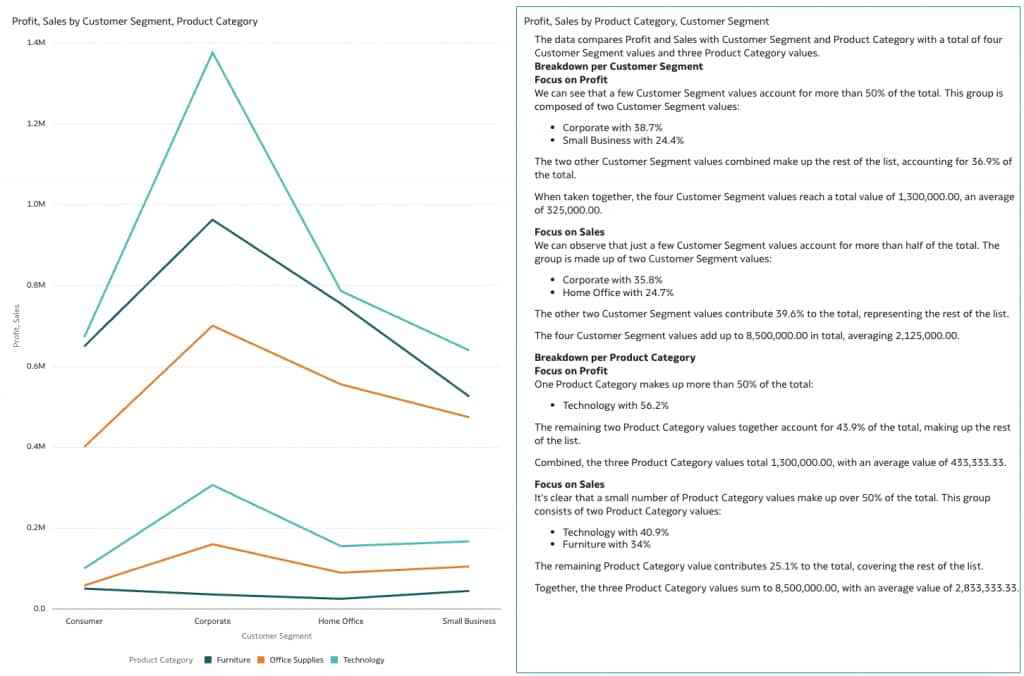
- Included Natural Language Generation capabilities that automatically convert data and visualizations into written, human-readable insights
- Easier access to Contextual Insights and Explain from the tooltip toolbar and workbook editor surfaces, helping users understand the “why” behind a point without being analysts
These enhancements help reduce “analytics friction,” resulting in fewer questions like, “What does this dataset mean?” or “Why did this metric change?”
Administrative and platform improvements that reduce operational friction
Oracle Analytics Server 2026 strengthens and expands capabilities for administrative users:
- A refreshed Console experience (Redwood look and feel) that modernizes administration and improves usability
- OAuth2 support for Microsoft SMTP to replace basic authentication for email delivery scenarios
Start Today!
With the general availability of Oracle Analytics Server 2026, we’ve introduced over one hundred new capabilities that provide:
- Business value: faster exploration, better visuals, more reliable sharing (email scheduling), and improved self-service insights
- Adoption value: performance features and “fewer workarounds” capabilities that reduce user frustration
- IT value: improved administration user experience, and stronger security and delivery options
Learn more:
- Check the release videos here.
- See what’s new and check the updated documentation.
- Ask questions and let us know what you think in the Community.
- Learn more about Oracle Analytics solutions.