
The April update to Oracle AI Data Platform is a substantial one.
This update advances two things in parallel: the enterprise foundation the platform runs on, and the AI capabilities built on top of it. Stronger security controls, credential governance, network boundaries, and public API access on one side. More powerful agents, expanded ML capabilities, and broader language support on the other. The connection between the two matters: Enterprise AI scales when the governance and security controls around it are production-ready.
Here’s what’s new.
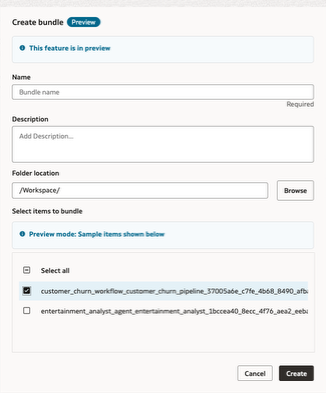
Git Folder and Bundle Folder (Preview): We’re introducing native Git-backed folders and bundle-based packaging for AI Data Platform Workbench assets. Teams can now develop notebooks, SQL, Python, workflows, and agent assets with built-in versioning and package them for promotion across dev, test, and prod, creating a much more repeatable and production-ready software lifecycle for AI Data Platform Workbench projects.
Read more: Source Control and Deployment Discipline in AI Data Platform Workbench
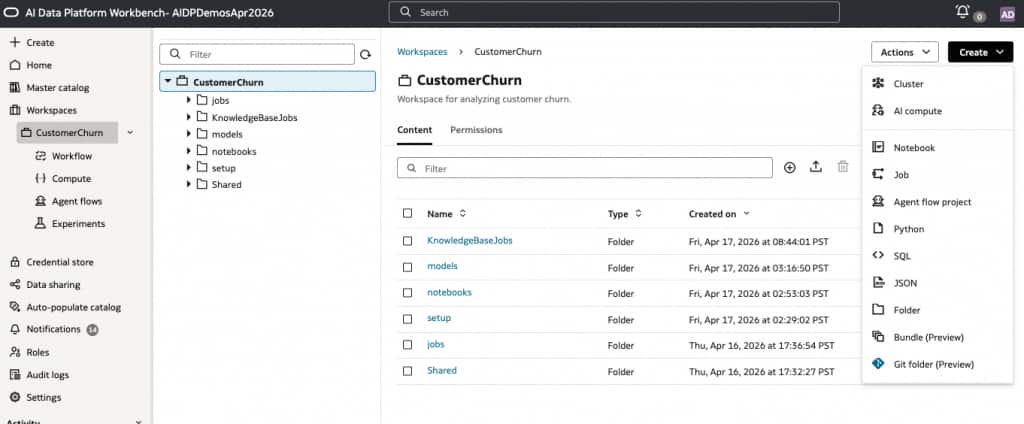
Public APIs (Preview): We’re introducing public APIs that allow customers to programmatically interact with AI Data Platform Workbench capabilities from their own applications, workflows, and automation. This extends AI Data Platform Workbench beyond the UI and makes it easier to embed the platform into broader enterprise processes and developer workflows.
Documentation: REST API for Oracle AI Data Platform Workbench
Customer Managed Key Support: We’re introducing customer-managed key support for AI Data Platform Workbench data and artifacts. Customers can now use their own encryption keys to protect sensitive assets across the platform, giving them stronger security control and helping meet the requirements of regulated environments handling PII, healthcare, and financial data.
Documentation: Customer Managed Encryption Key
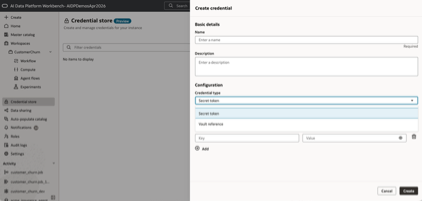
Credential Store (Preview): We’re introducing a governed credential store so teams can centrally manage secrets, tokens, service accounts, and vault references instead of embedding them in notebooks, jobs, or code. This helps reduce security risk, improves auditability, and makes it significantly easier to share access safely across teams without exposing raw credentials.
Documentation: Credential Store
OCI Network Source Support: We’re adding OCI Network Source support so customers can define trusted IP ranges and private network boundaries for access to data assets in their tenancy. This adds an important layer of protection beyond standard IAM policies and supports enterprise deployments where network-level access control is a core requirement.
Documentation: Network Sources
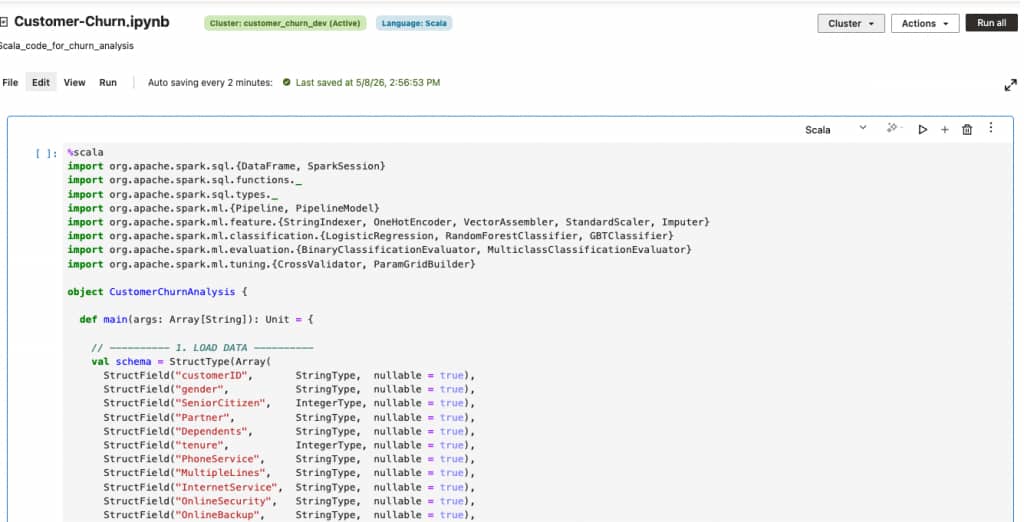
Scala Language and JAR Task Support: We’re expanding the developer surface of AI Data Platform Workbench with native support for Scala language in Apache Spark Notebooks and JAR-based tasks in Workflows. Teams can now bring their existing Scala codebase directly into AI Data Platform Workbench workflows. With Jar tasks in Workflows, customers can package compiled Scala or Java applications and orchestrate them as first-class tasks in a workflow alongside notebook tasks and Python tasks. Combined with the existing Python and SQL support in Spark notebooks, this gives data engineering teams a familiar path for building production pipelines on AI Data Platform Workbench.
Documentation: Develop Code in Notebooks, Create a Jar Task
New Ingestion Connectors — Oracle Siebel and Oracle PeopleSoft: We’re adding native ingestion connectors for two of the most widely deployed enterprise applications in the Oracle ecosystem: Oracle Siebel and Oracle PeopleSoft. Customers can now read data directly from their Oracle Siebel and PeopleSoft databases into Oracle AI Data Platform Workbench tables or volumes, using preconfigured Spark templates that can abstract away JDBC setup, driver management, and connection tuning. Both connectors are configured as read-only, support SQL pushdown for efficient filtering at the source, and ship with end-to-end sample notebooks so teams can get started in minutes instead of building bespoke integrations.
A typical read looks like this:
# Oracle Siebel — basic read
oracle_siebel_df = spark.read.format("aidataplatform") \
    .option("type", "ORACLE_SIEBEL") \
    .option("host", "<HOST>") \
    .option("port", "<PORT>") \
    .option("database.name", "<DATABASE_NAME>") \
    .option("user.name", "<USERNAME>") \
    .option("password", "<PASSWORD>") \
    .option("schema", "<SCHEMA>") \
    .option("table", "<TABLE_NAME>") \
    .load()
The PeopleSoft connector follows the same pattern — just set .option(“type”, “ORACLE_PEOPLESOFT”). Both connectors also support a pushdown.sql option to push filters and projections down to the source database for faster, lower-cost reads. Full sample notebooks (including SQL pushdown variants for both connectors) are available in the open-source samples repo.
Documentation: Internal Sources. Sample notebooks: Read-Only Ingestion Connectors on GitHub
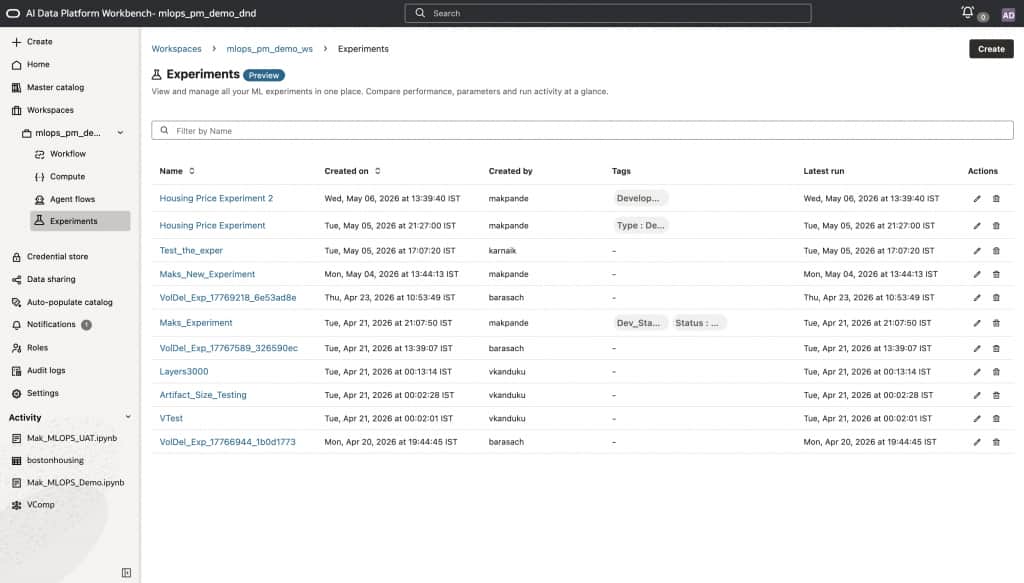
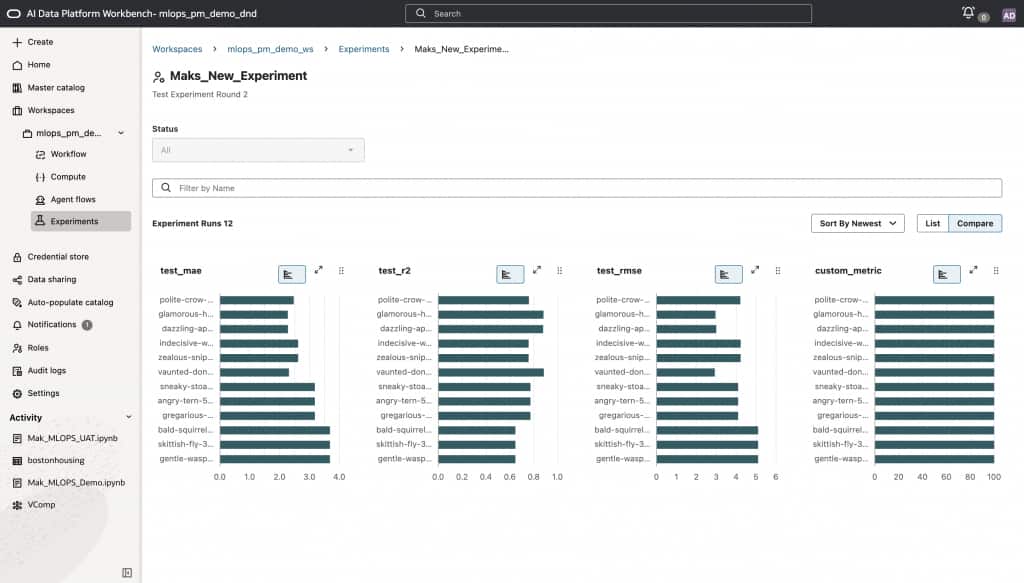
MLOps and Experimentation (Preview): We’re introducing native MLOps and experimentation capabilities directly within AI Data Platform Workbench. Teams can now run structured experiments on top of their data, compare model and prompt variants, and track outcomes, all without leaving the platform. This completes the full story: data connected to ML models connected to agents, with built-in repeatability at every layer. For most teams, this was simply not possible before without stitching together separate tools and processes.
Documentation: Experiments
The capabilities described below add to the existing agentic capabilities of AI Data Platform Workbench, which are currently under Limited Availability. Please contact your Cloud Account representative to request access to these features.
Native MCP Client Support (Under Limited Availability): Agents can now connect natively to any MCP-compatible tool or service, via the low-code canvas or AIDP utils in high-code. For low-code builders, this means your drag-and-drop agents are no longer limited to the tools we ship, they can reach any capability exposed via the Model Context Protocol. This opens the door to a rapidly expanding ecosystem of integrations and unblocks customers who needed richer, more dynamic tool use without writing custom code.
Native HTTP Request Support (Under Limited Availability): Agents built on the canvas can now make HTTP requests directly, or via AI Data Platform utils in high-code. Your agents can call external APIs, pull live data, and interact with enterprise systems natively, without requiring a developer to wire up a custom backend. Workflows that previously required engineering involvement can now be built and owned by the teams closest to the business problem.
Session Attributes (Under Limited Availability): Agents can now receive session attributes passed directly from the calling UI, whether that’s a web interface, an APEX application, or any other front end, through to the agent endpoint and into the LLM context. This enables a critical class of enterprise scenarios: a user signs into your application as themselves, and their identity is securely passed to the agent via session parameters. The agent can then use those credentials to enforce row-level and column-level security when querying data, ensuring users only ever see what they’re authorized to see. This helps close a meaningful gap for deployments where data governance and identity-aware access are non-negotiable.
The April update to Oracle AI Data Platform Workbench expands what teams can build, automate, and govern across data, ML, and agents.
We’re just getting started, and we are excited to see what this update makes possible.
For more information: