
A notebook usually starts with a simple goal: test an idea, run a query, explore a dataset. But that is rarely where it ends. Very quickly, the same notebook becomes something more. It becomes the place where a team member reviews the logic, where a stakeholder asks for the output, where a user returns a week later to pick it up again, and where exploratory work starts turning into something repeatable. That is the moment when notebook usability starts to matter. In Oracle AI Data Platform Workbench, notebook usability is about helping users move through work with less friction.
Clear notebook purpose:
One of the simplest but most useful details in a notebook is the description at the top. Before someone reads a single cell, they can understand what the notebook is for. That small piece of context makes a difference, especially when someone is opening the notebook again after a few days or reviewing work, they did not author themselves.

Structured notebooks to navigate faster:
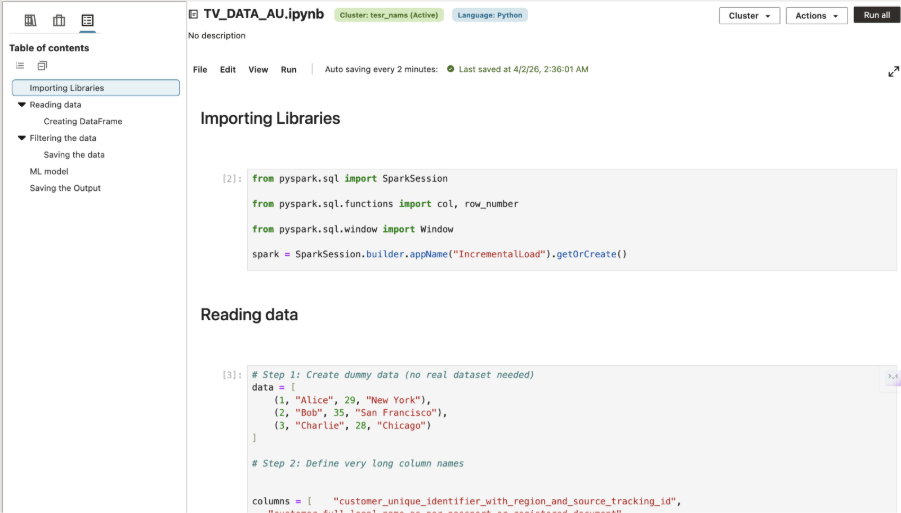
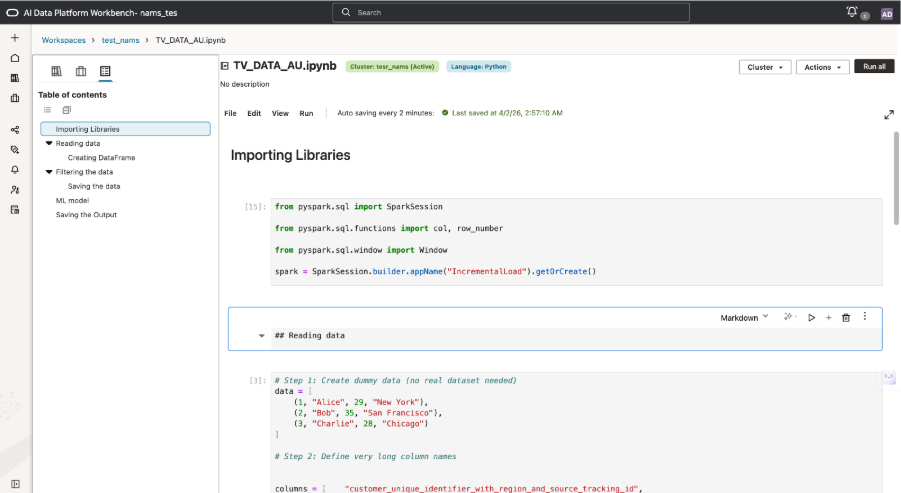
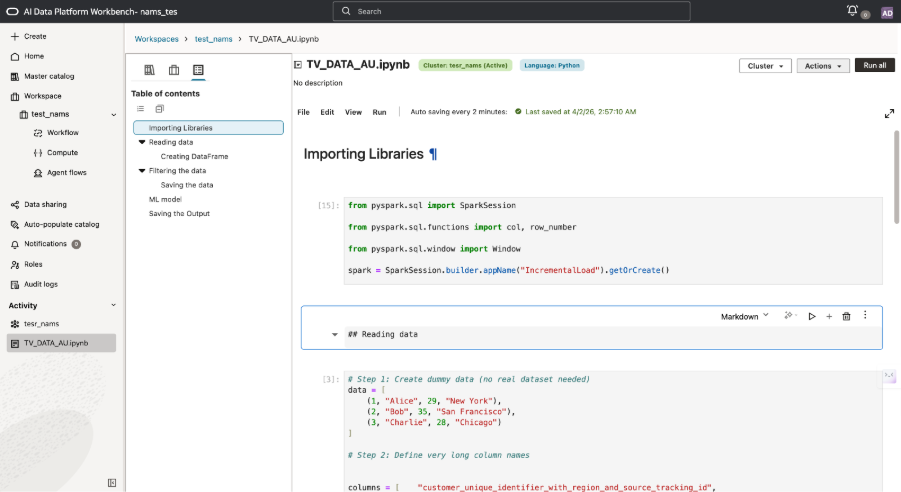
As notebooks grow, structure becomes essential. What starts as a few cells can quickly turn into a longer working document with setup, checks, outputs, and notes. In Oracle AI Data Platform Workbench, Markdown cells help users add section headers, subheaders, and explanatory text directly within the notebook, giving each part of the work a clearer internal structure.
That structure also improves navigation. Markdown-based headings feed the notebook outline, so users can move directly to the section they need instead of scrolling through the notebook manually. This makes longer notebooks easier to work through, easier to review, and easier for teammates to understand.
Results ready to share:
Once a notebook produces something useful, the next question is usually simple: how quickly can that result be exported, pasted, or shared?
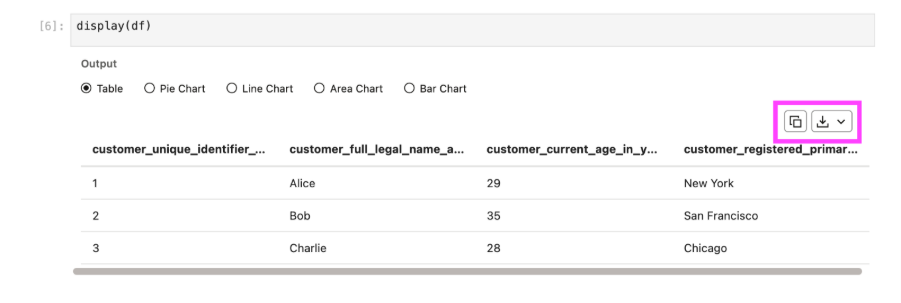
Oracle AI Data Platform Workbench supports that reality with direct output actions. Users can download output as CSV or Excel and copy output directly to the clipboard. These actions solve a very practical problem. Users do not need to write additional export logic, rebuild tables elsewhere, or fall back to screenshots just to share results. The output is already usable in the format people need. That helps notebooks fit naturally into downstream workflows.
Focused work:
Notebook work often involves reading closely, comparing outputs, writing explanations, and moving back and forth across sections. In those moments, space matters. A cramped layout or persistent navigation can add friction that slows everything down.
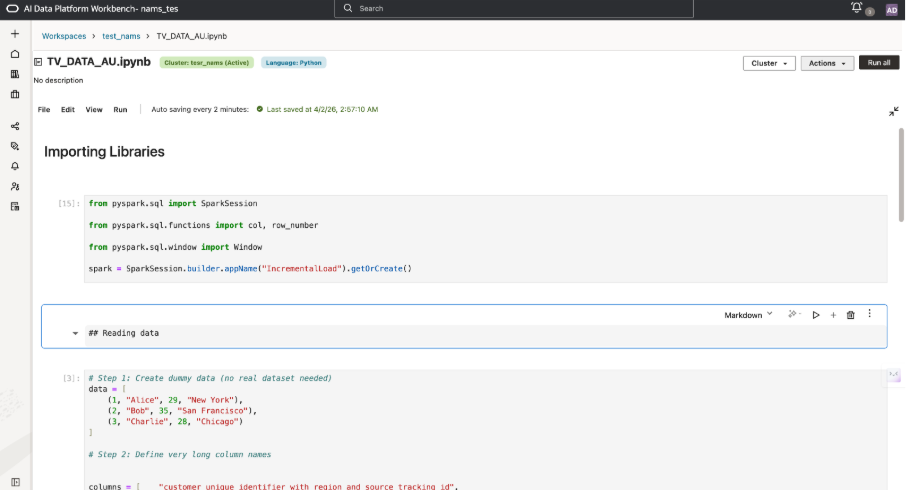
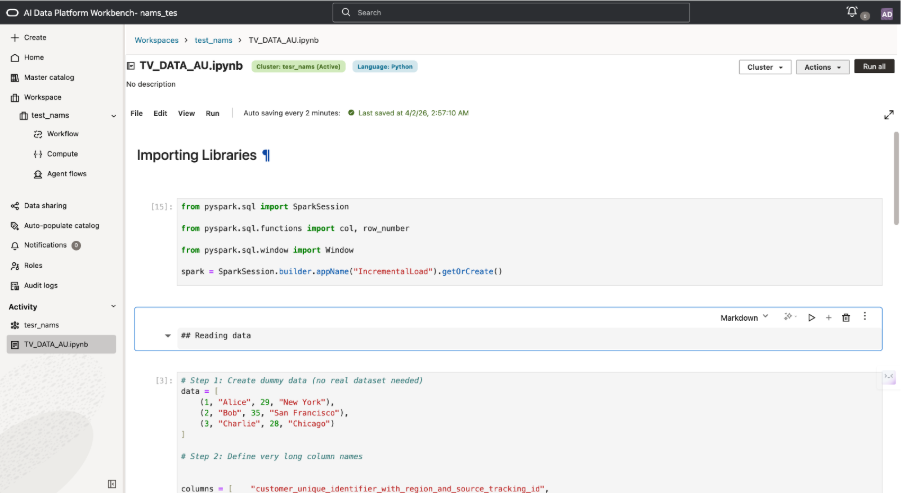
Oracle AI Data Platform Workbench helps reduce that friction by allowing users to minimize the left panel and expand the notebook view. The effect is more room for the notebook itself: more room to read, think, and work comfortably for longer sessions.
These focus controls are especially valuable because notebooks are not only execution environments. They are also review, communication, and documentation spaces.
Execution order at a glance:
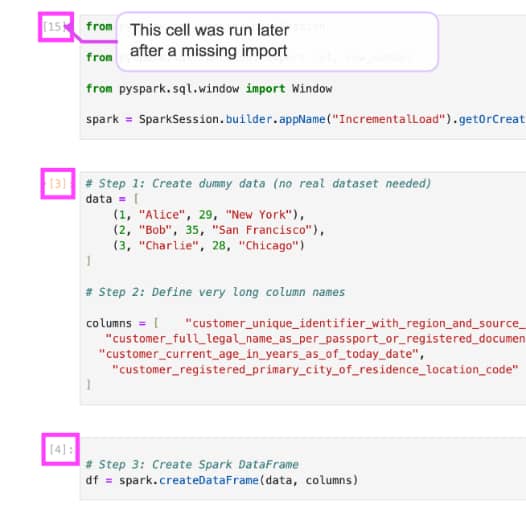
In notebook work, cells are not always run from top to bottom in a single pass. Users often rerun steps or return to earlier sections as the work evolves. The execution number beside each cell shows the order in which cells were run, making it easier to review results, trace the flow of work, and understand how an output was produced.
Protected progress:
Auto-save is one of those features that earns trust. It protects ongoing work and removes the low-level worry of whether the latest change has been saved. In notebook workflows, that matters because the value is not just in the code. It is also in the notes, the structure, the intermediate steps, and the thinking captured along the way.

Smooth continuation of existing work:
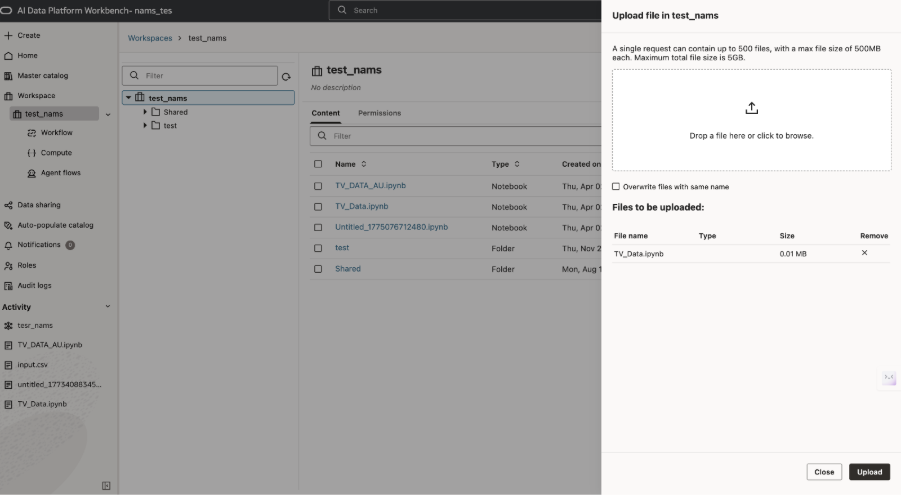
Importing `.ipynb` notebooks is equally practical. Most teams already have notebooks created elsewhere. They do not want to rebuild that work from scratch just to move into a new environment. By supporting `.ipynb` import, Oracle AI Data Platform Workbench makes it easier to bring existing work forward and continue from there. That lowers friction for adoption and respects the investment customers have already made.
Taken together, they make notebooks in Oracle AI Data Platform Workbench more useful for the way people actually work exploring, documenting, reviewing, sharing, and returning.