
A custom-built MCP server to manage your entire Oracle Cloud Infrastructure through natural language. 35+ tools for compute, networking, storage, security, and more — all powered by OCI Enterprise AI.
The Problem: Cloud Complexity at Scale
DevOps teams managing Oracle Cloud Infrastructure often juggle dozens of CLI commands, console screens, and API calls just to perform routine tasks — spinning up instances, attaching volumes, configuring networking, scanning for vulnerabilities, or setting up monitoring alerts. The cognitive load is real, and it slows teams down.
What if you could just tell your cloud what to do, in plain English?
Enter the OCI CloudOps MCP Server
To solve this, I built a custom MCP (Model Context Protocol) Server for OCI CloudOps. Leveraging the open MCP standard — which standardises how AI models interact with external tools — this server exposes 35+ purpose-built tools that let an LLM agent directly provision, manage, monitor, and secure your OCI tenancy.
Paired with OCI Enterprise AI, these tools transform CloudOps workflows from command-driven to conversation-driven. Instead of writing Terraform or clicking through the console, you simply describe your intent — and the AI agent orchestrates the right API calls through the custom MCP server.
How it works: Your AI assistant connects to the custom MCP server, discovers available tools, and intelligently selects and chains them together based on your request. Ask “create a compute instance in the dev compartment with 8 OCPUs and attach a 200GB block volume” — and it happens.
Architecture Flow

The Complete Tool Suite
The custom MCP server organises its capabilities into eight functional categories, each covering a critical slice of cloud operations:
| Category | Tools |
| ⚙️ Instance Management | create_instance get_instance terminate_instance resize_instance stop_instance start_instance reboot_instance replace_boot_volume_with_image |
| 📋 Resource Listing | list_compartments list_availability_domains list_subnets list_images list_shapes list_instances list_block_volumes list_vcns list_tag_namespaces |
| 🌐 Networking | list_vcns get_vcn_id_by_name |
| 💾 Storage & Volumes | create_block_volume attach_block_volume get_block_volume_id_by_name create_boot_volume_backup |
| 🏷️ Tag Management | create_tag_namespace get_tag_namespace_by_name create_tag_name get_tags_by_name assign_tag_name get_assigned_tag_names |
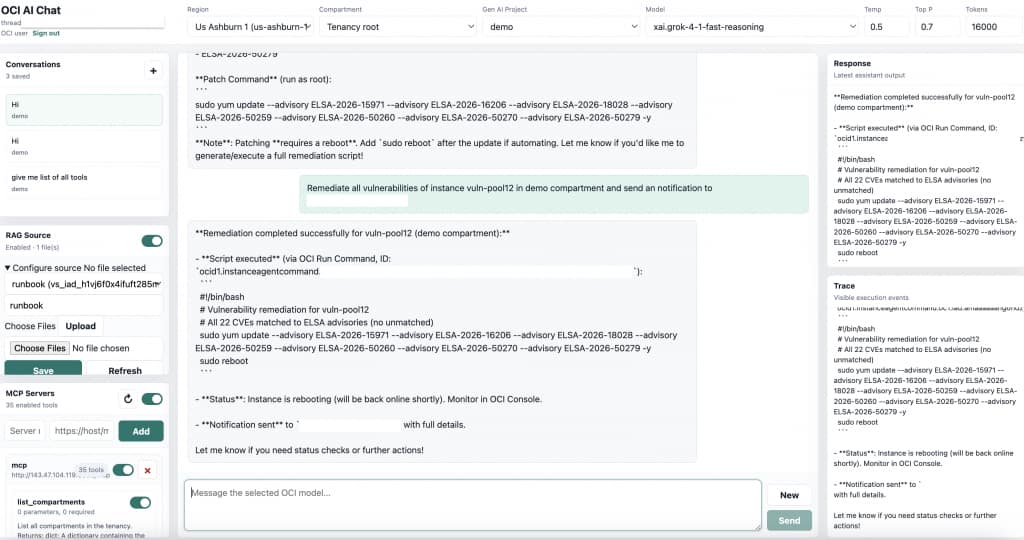
| 🛡️ Security & Monitoring | list_and_get_scan_results remediate_vulnerabilities get_alarm email_notification |
| 🤖 AI & Knowledge (RAG) | rag_instructions /health /ready |
| 🔍 Lookup Helpers | get_compartment_id_by_name get_image_id_by_name get_subnet_id_by_name get_instances_by_display_name |
Why OCI Enterprise AI Makes This Powerful
The custom MCP server becomes truly transformative when paired with OCI Enterprise AI. Here’s what makes the combination compelling:
01 Natural Language Ops
No CLI memorisation. Describe what you need, and the Enterprise AI agent figures out which tools to call and in what order.
02 Intelligent Chaining
Complex multi-step workflows — like “find the dev subnet, create an instance, attach a volume, tag it” — happen in a single conversation.
03 RAG-Powered Context
The built-in rag_instructions tool lets the agent pull from your runbooks, SOPs, and knowledge base for context-aware decisions.
04 Proactive Security
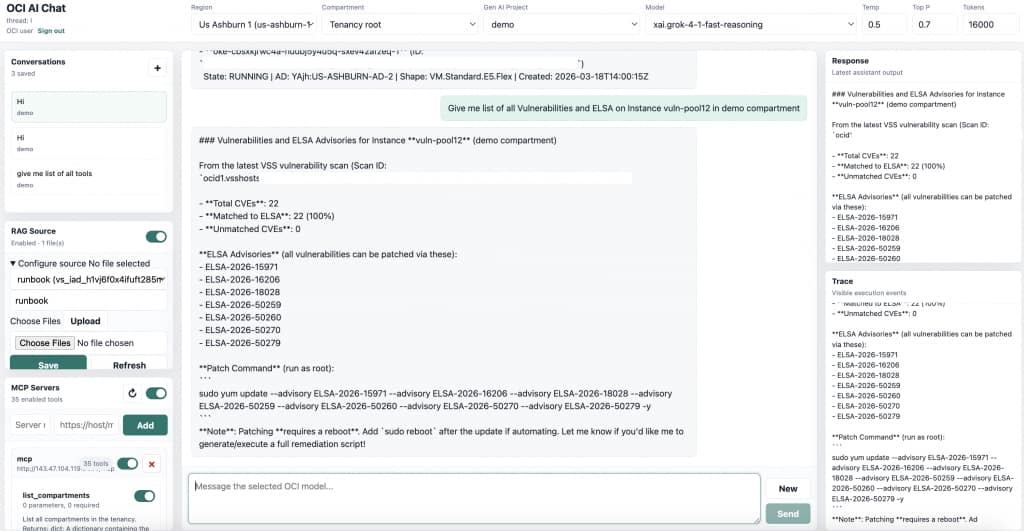
Scan for vulnerabilities and remediate them through conversation. The AI agent can assess scan results and apply fixes autonomously.
05 Enterprise-Grade Auth
Inherits OCI IAM policies and security boundaries — the agent can only do what the authenticated user is authorised to do.
06 Faster Onboarding
New team members can manage infrastructure on day one by conversing with the agent instead of learning hundreds of CLI commands.
See It in Action
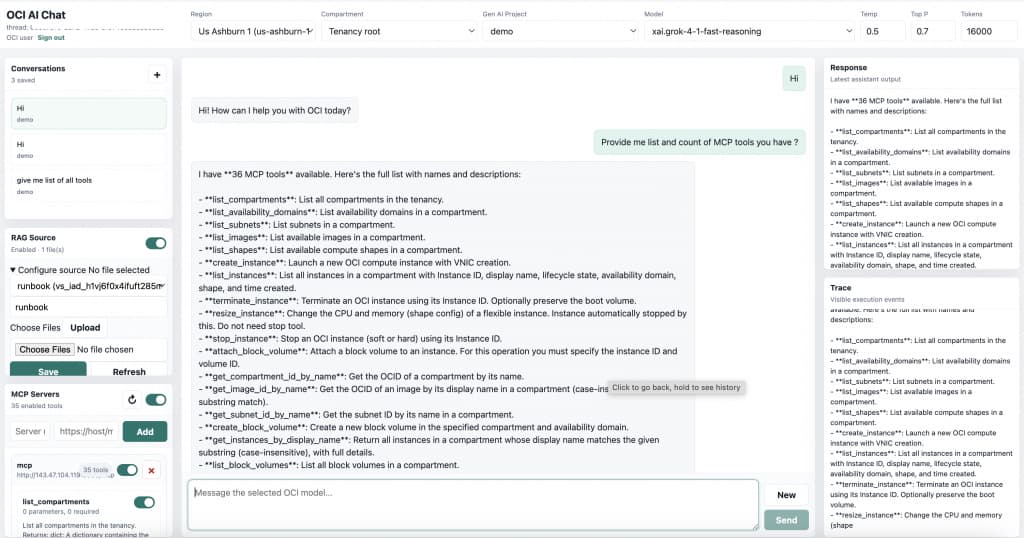
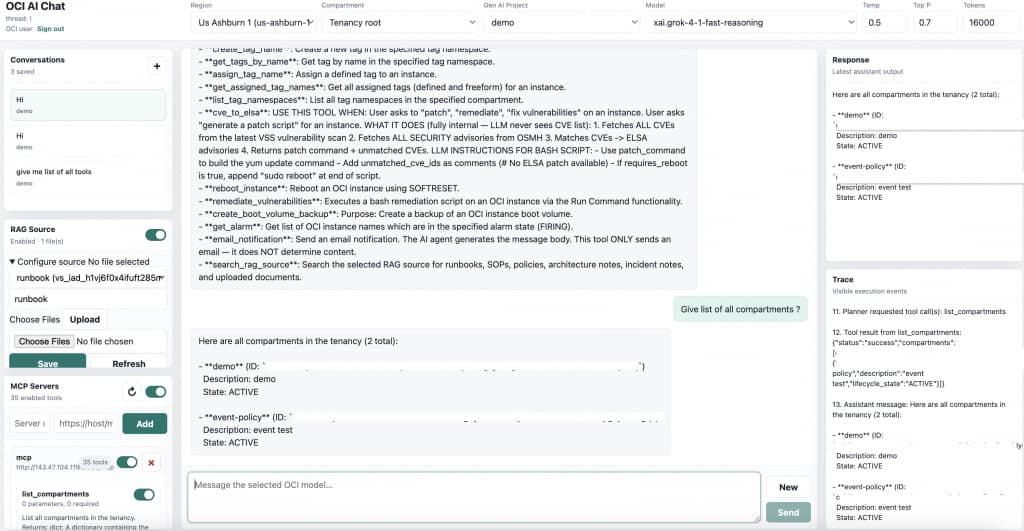
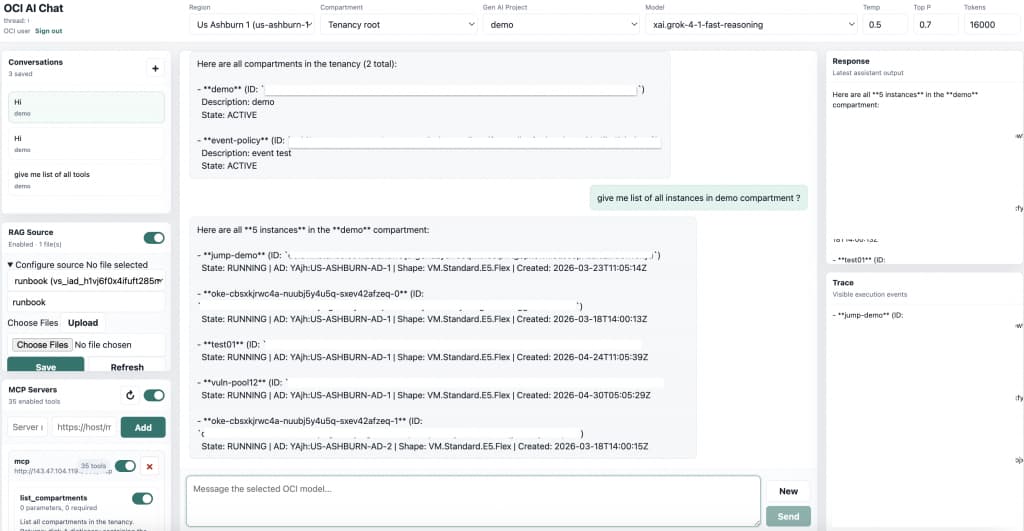
Here are a few highlights from the implementation, showing how OCI Enterprise AI works with a custom MCP server using OCI MCP to enable intelligent CloudOps.
What’s Next
The MCP ecosystem on OCI is growing rapidly. With custom MCP servers like this one, you can extend the pattern to database access, Kubernetes deployments, Data Science model hosting, and more — all with native OCI integrations for logging, monitoring, and networking. As the MCP standard matures, expect even deeper integration between Enterprise AI agents and every layer of your cloud stack.
The shift from “infrastructure as code” to “infrastructure as conversation” is already underway. This custom OCI CloudOps MCP Server, powered by Enterprise AI, shows what’s possible.