
Over the years, you may occasionally deploy a workflow to the Runtime Repository and later discover that its Workflow Process Definition was deleted from the Design Repository. The process can still run in the Runtime Repository, but without a corresponding definition in the Design Repository, you can’t view or modify it. This article explains how to recover the missing process definition from what’s currently deployed in the Runtime Repository.
Step 1: Locate the Process in the Runtime Repository
If you’ve deployed a Workflow Process to the Runtime Repository, you can recover its definition. During deployment, the compiled definition is stored in the S_WFA_DPLOY_DEF table. This table contains the full process definition you can use to restore it to the Design Repository.
In the Siebel CRM client:
- Navigate to Administration – Business Process > Workflow Processes.
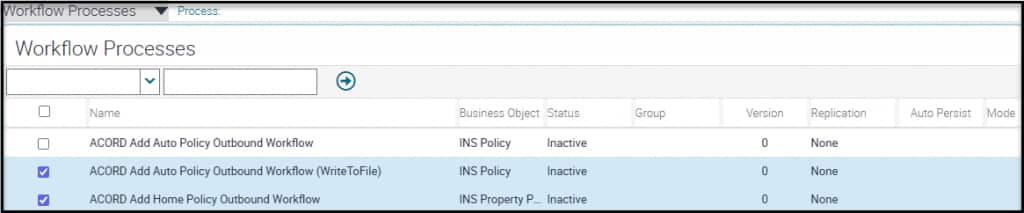
- Select the Workflow Process (or processes) you want to recover. You can select multiple processes and export them to a single file (for example, two processes exported together).
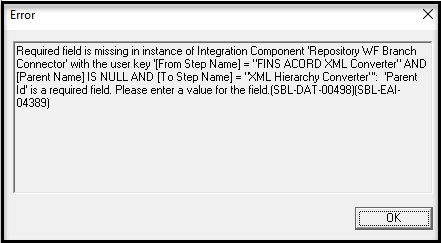
Note: Export and import workflow processes one at a time. Although you can export more than one process at a time, it’s not recommended. When you later import, you may encounter errors that don’t occur when importing processes individually. For example, importing a file that contained the two process definitions (as shown below) triggered validation errors that did not appear when each process was exported and imported separately.
Step 2: Export the Workflow Process Definitions
After selecting the Workflow Processes you want to recover, choose Export Workflow from the applet menu. This exports the selected Workflow Processes to an XML file saved to your Downloads directory.
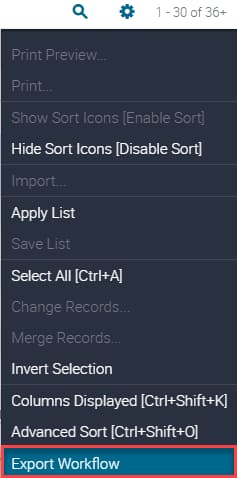
The XML file will contain the complete definitions for all the Workflows selected.
Step 3: Import the XML file into Siebel Tools
As of Siebel 26.1, Web Tools does not support importing Workflow Process definitions (this capability is planned for a future release). To import Workflow Process definitions, you must use Siebel Tools.
- Open an editable Workspace.
- In the Object Explorer, open the Workflow Processes Object Type.
- Right click on the window.
- Click Import Workflow Process.
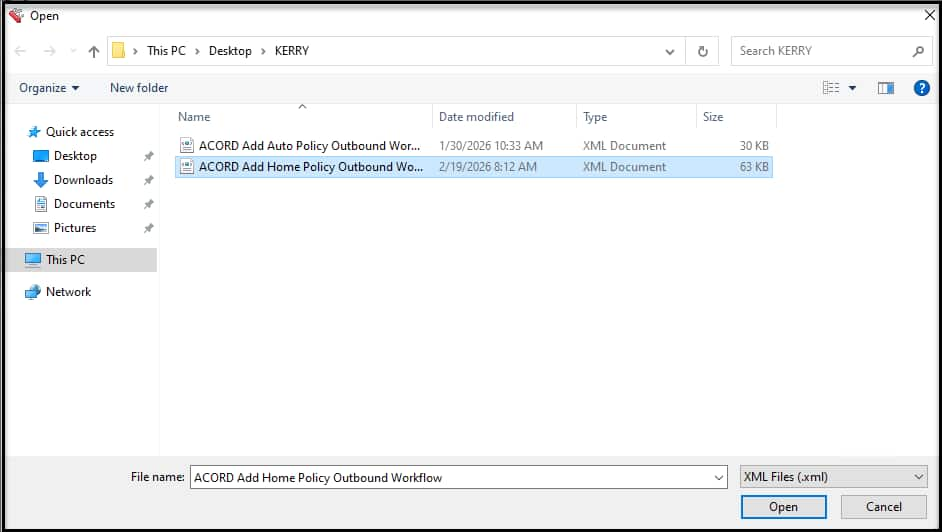
- Select the XML file that Siebel Tools created with the exported process definitions.
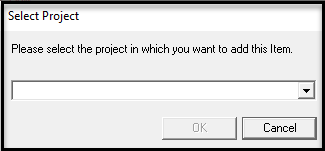
- Click Open. A dialog prompts you to select a project
- Choose any and click OK.
See the screenshots below for examples of each step.
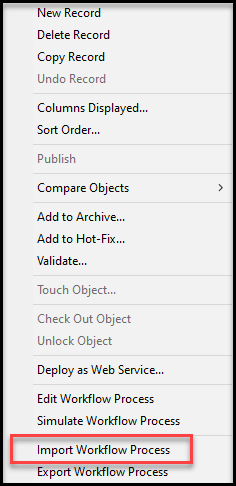
The import will continue behind the scenes.
Examine your Workflow Definitions
Once the import completes you will see the Process you imported as a new record in the list. Open it and examine the Process.
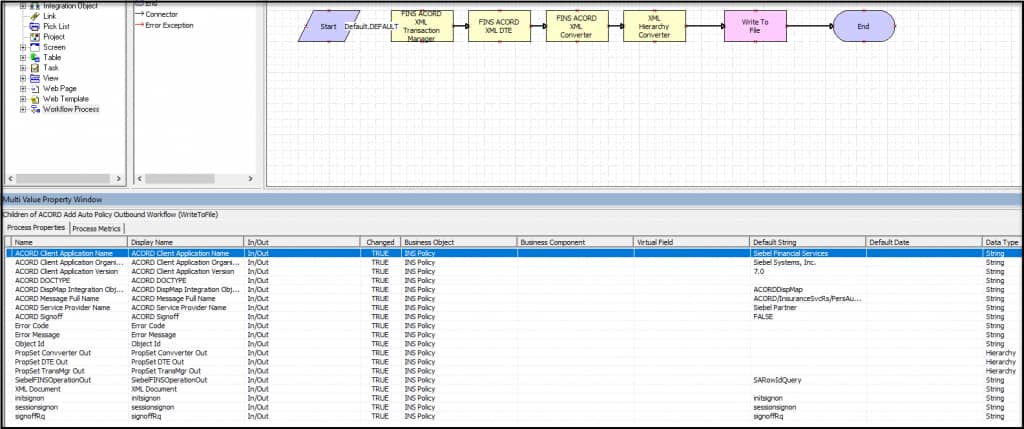
Remember to checkpoint and deliver this Workspace when you are satisfied with the definition and have modified it as you wish.
Conclusion and Next Steps
You’ve learned how to recover Workflow Process definitions from the Runtime Repository and restore them to the Development Repository. As a best practice, regularly back up your Development Repository to prevent data loss.