
You’re ready to connect an agent to SharePoint or another application—but first, who should be allowed to configure that connection?
It’s easy to treat connector access as a single permission. In practice, three different questions matter: who manages the connector, who uses the agent, and what information the connected identity can access.
Let’s separate those responsibilities so your security team can give each person the access they need.
Before you begin: The connector duties described below control access to connector-related data operations. They don’t grant access to the AI Agent Studio interface on their own. Set up the appropriate AI Agent Studio access for your product family and release separately.
The screenshots below illustrate the source document’s setup. Labels, navigation, and available connectors can vary by release. Where an older label or test role appears, use the current role names and codes in the text—not the example values shown in the picture.
Start with the person’s task
Use this table to frame the access review—not as a list of roles to assign to everyone.
| What the person needs to do | What to review |
|---|---|
| Configure and maintain connectors | Connector administration duties and their inherited privileges and data-security policies |
| Build an agent or workflow using a connector tool | AI Agent Studio design-time access and access to the required connector resources |
| Use the finished agent | The agent’s runtime access and applicable content or application authorization |
| Inspect synchronized content in Authoring | The separate Authoring access requirements |
| Authorize access to an external application | The source system’s permissions, consent, and authentication configuration |
The key distinction: using an agent isn’t the same responsibility as administering its connections.
The seeded connector-management duty role
Oracle provides the AI Agent Connector Management duty role for administering connectors used by AI agents.
| Item | Name or code |
|---|---|
| Duty role | AI Agent Connector Management |
| Duty role code | ORA_CSO_CONNECTORS_AI_AGENT_MANAGEMENT_DUTY |
| Associated functional privilege | Use AI Agent Connectors |
| Functional privilege code | CSO_FAI_CONNECTORS_PRIV |
Oracle’s Financials access setup identifies the duty-role code, while the Common Features security reference maps the duty to the connector privilege.
The duty combines functional privileges with data-security policies for the underlying connector resources. It’s one part of the access setup—not a replacement for AI Agent Studio UI access or external-system authorization.
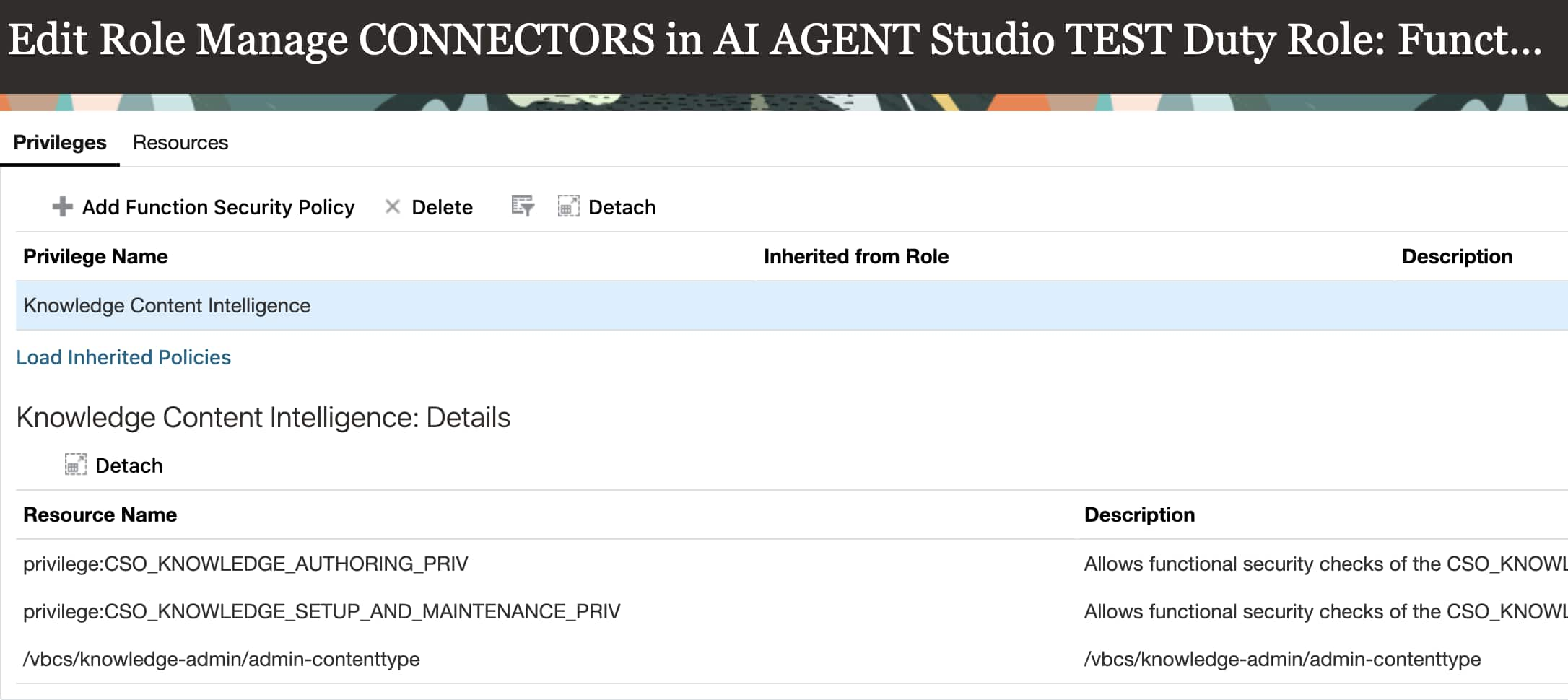
Historical screenshot: the source image shows a test role and the older “Knowledge Content Intelligence” privilege label. The role to inherit is ORA_CSO_CONNECTORS_AI_AGENT_MANAGEMENT_DUTY; the current privilege identified by the source is Use AI Agent Connectors (CSO_FAI_CONNECTORS_PRIV). Don’t recreate the test role or add the displayed resources individually.
Check inherited access before adding anything
A user may already inherit connector-management access through an existing job role. For example, Oracle’s 26C Procurement security reference includes AI Agent Connector Management in the Procurement Application Administrator hierarchy.
Have your security administrator review the user’s effective role hierarchy first. If an approved custom job role is needed, include the appropriate seeded duty through that role using the documented procedure for your product family.
Also review the data-security policies that come with the duty. The Procurement reference lists policies for connector-related content types, departments, and user groups alongside the functional privilege. Checking only whether a menu is visible can miss that part of the setup.
Avoid granting a broad application-administrator role simply to make the Connectors page appear. Review the required duties and scope with your security team.
What the data-security policies cover
These source screenshots illustrate the policy categories behind the connector duty. They are for understanding and review—not instructions to create extra grants manually. Inherit the approved seeded duty and review the effective policies for your release with your security administrator.
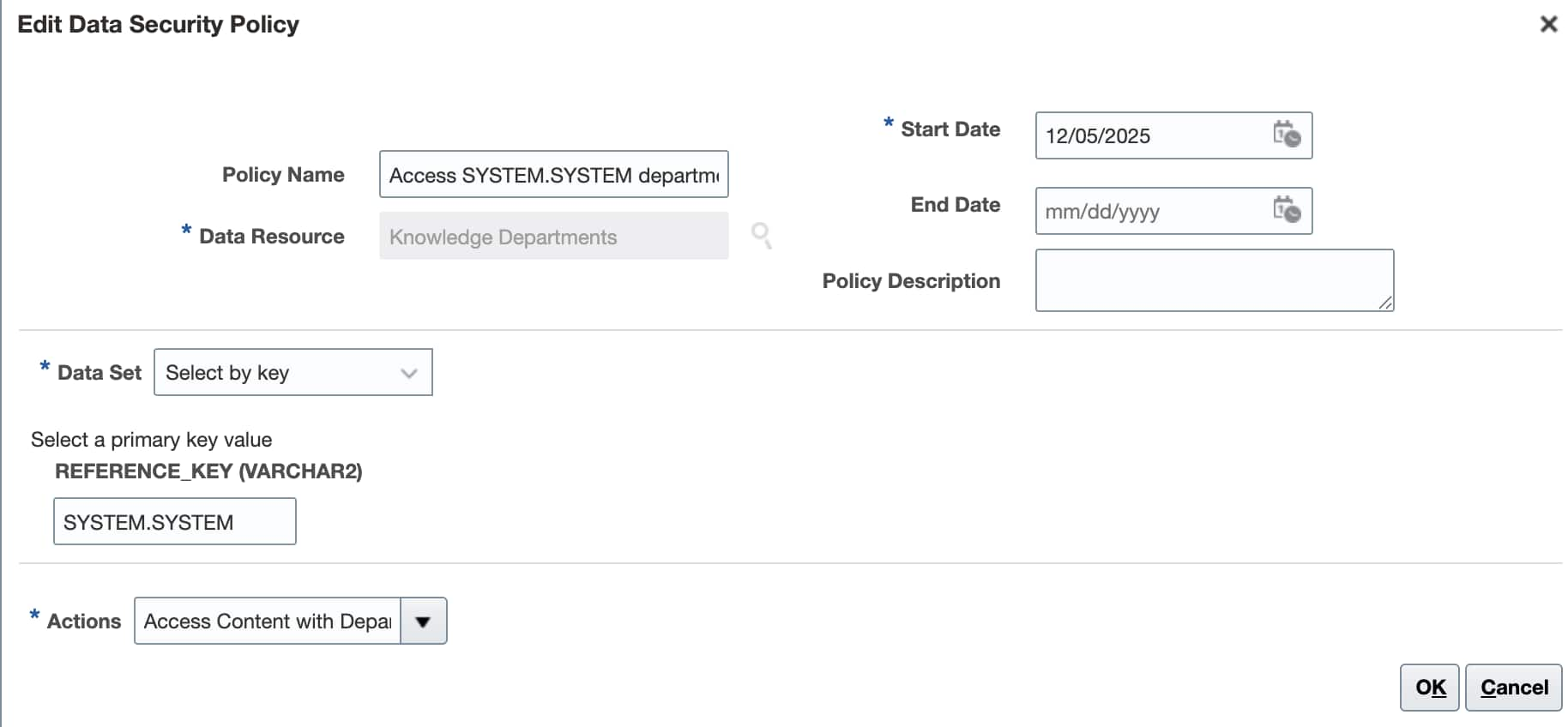
Department access is one part of the underlying data-security setup.
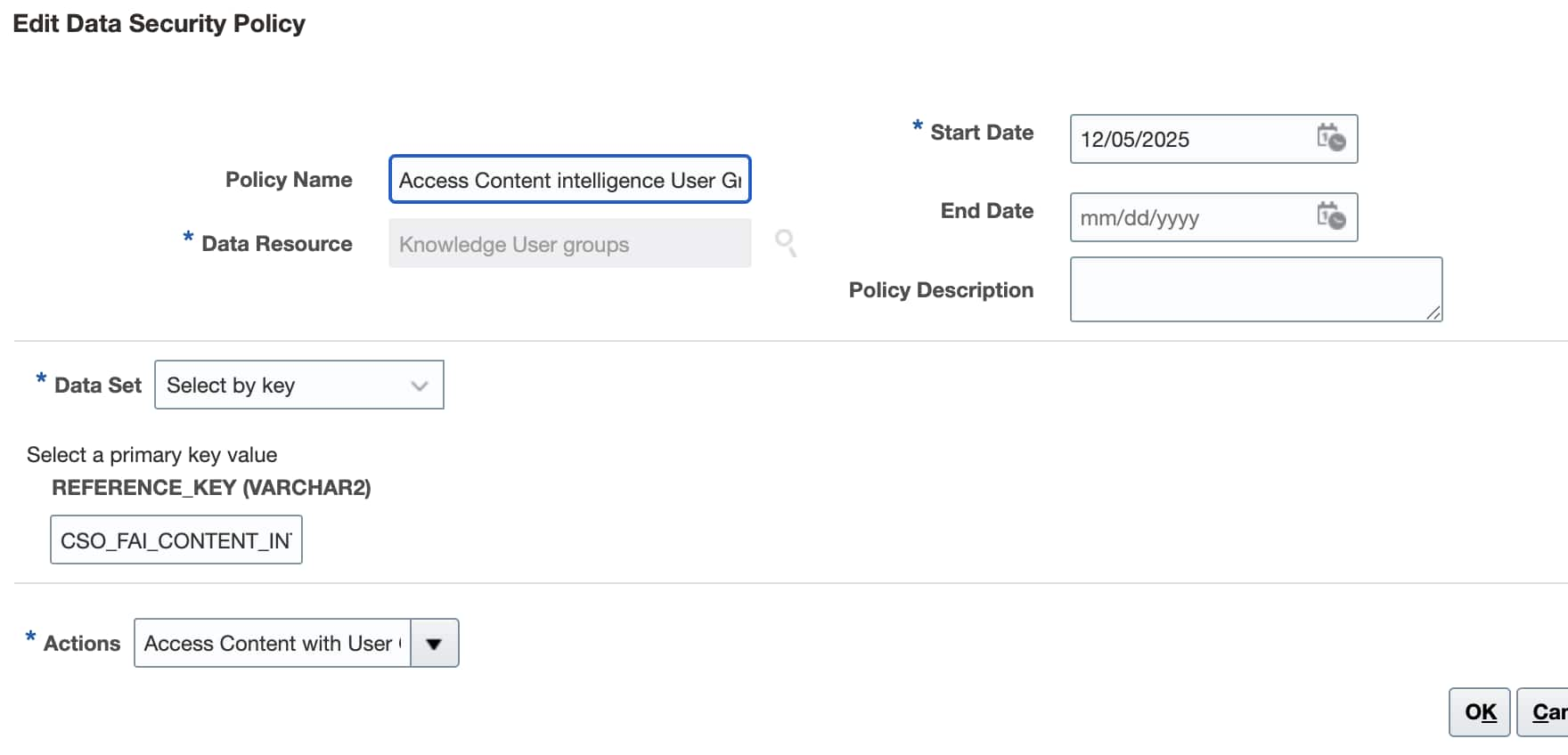
User-group policies are separate from the functional privilege. This source image is reused for multiple user-group examples in the PDF; the visible field is truncated, so don’t infer the complete key from the picture.
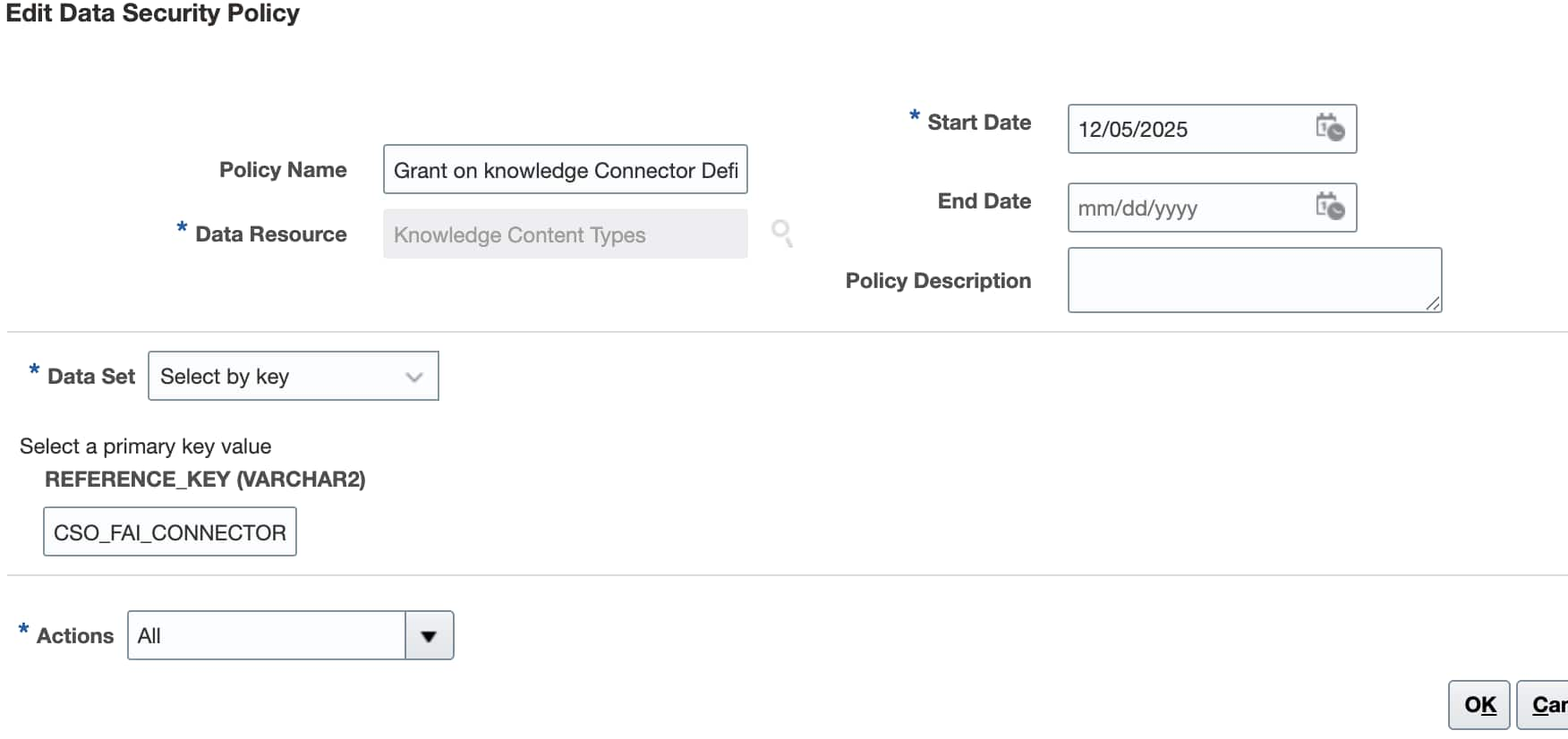
Connector-definition policies govern the underlying template resources. The PDF also reuses this picture in an older 26B issue section; it isn’t evidence that an extra workaround is required in your environment.
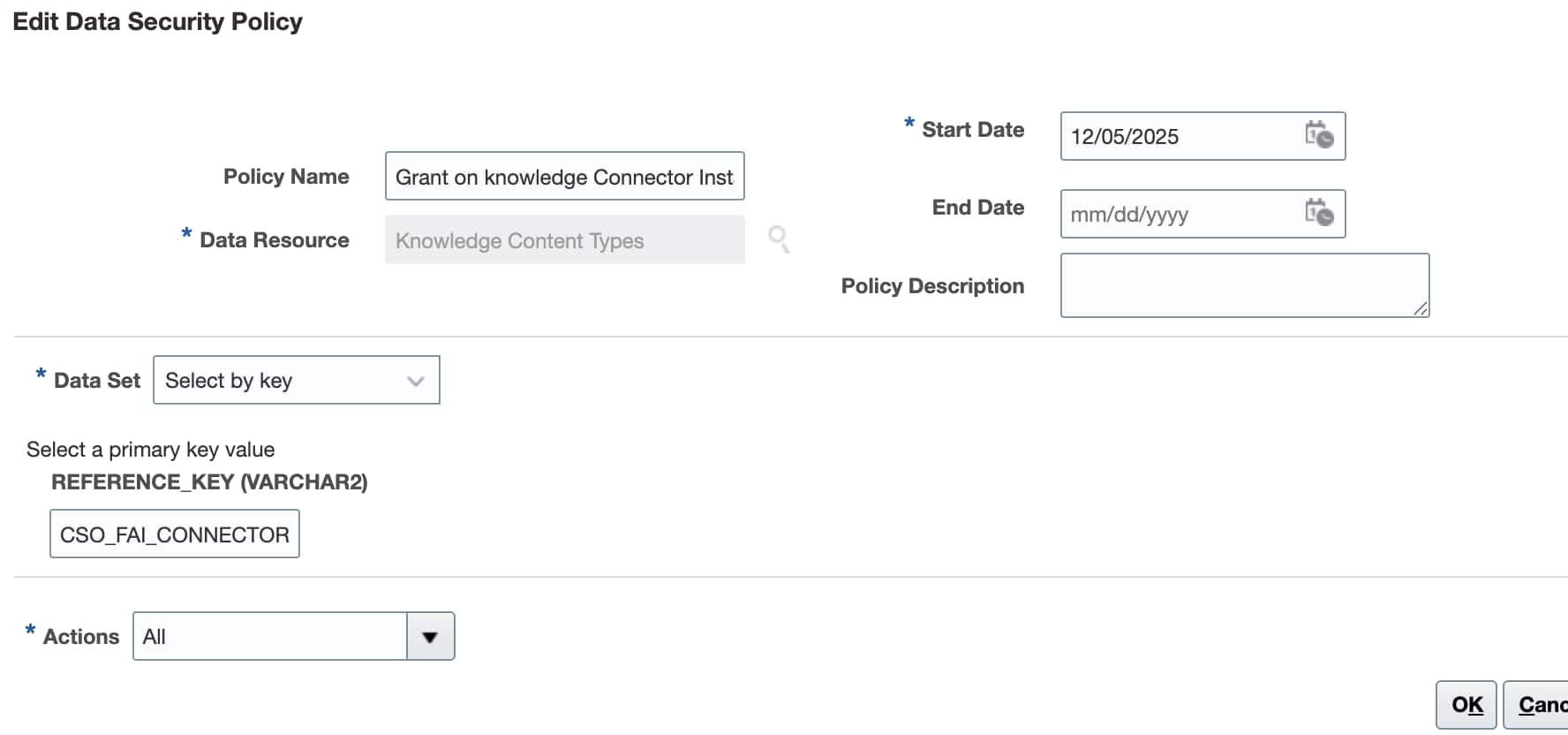
Connector-instance policies cover the configured connection resources. Verify the inherited policy rather than copying a truncated example value.
Set up a connector-administrator role
If the user doesn’t already inherit the required duty, have your security administrator follow this approach in Security Console. Use an approved custom job role; don’t modify a seeded role.
- Create a custom job role, or open an existing approved custom job role for editing.
- Go to Role Hierarchy. Under Roles and Privileges, select Add Role.
- In Add Role Membership, search for
ORA_CSO_CONNECTORS_AI_AGENT_MANAGEMENT_DUTY. - Select AI Agent Connector Management and add the role membership.
- Assign the enclosing custom job role to the intended administrators. In the role-creation flow, use the Users step to add the appropriate users.
- Save and close the role configuration.
- Go to Tools → Scheduled Processes and run Import User and Role Application Security Data. Confirm that the process completes successfully before validating access in a fresh user session.
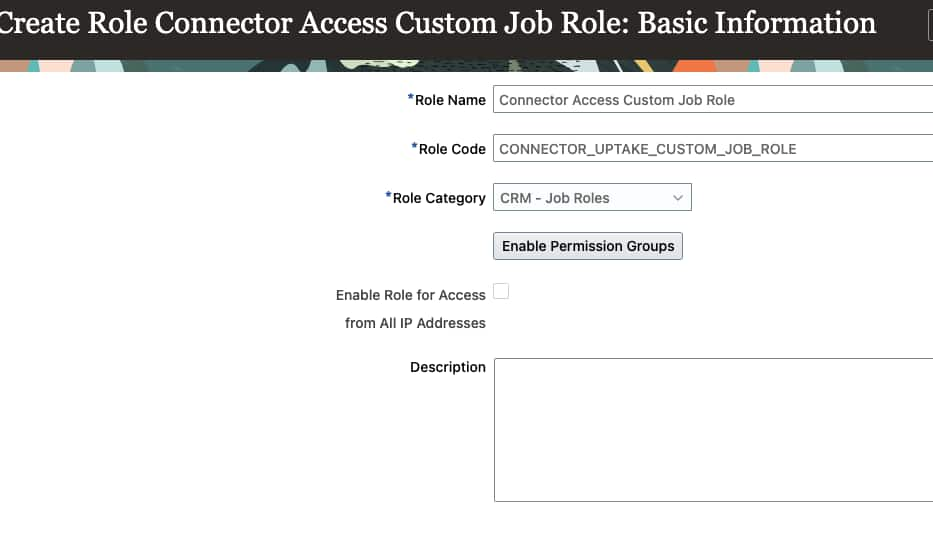
Create or use an approved custom job role. The role name, code, and category shown are examples; use your organization’s approved values and product-family procedure.
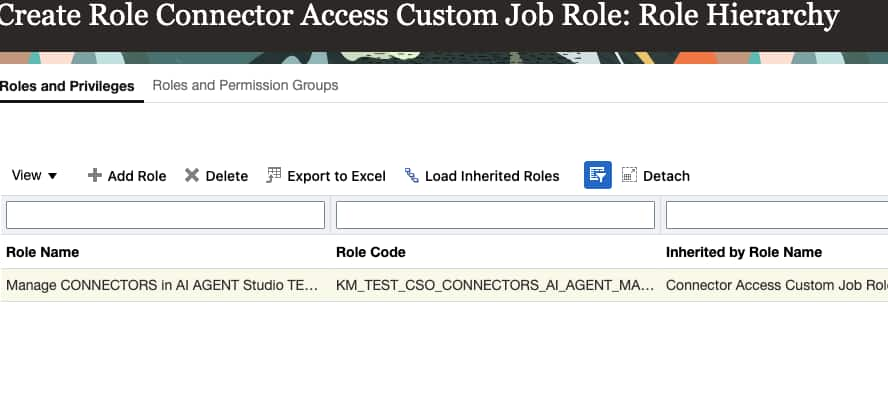
The source screenshot shows a historical test duty. In your setup, search for and inherit ORA_CSO_CONNECTORS_AI_AGENT_MANAGEMENT_DUTY instead.
Keep any additional product-family requirements in place. For example, the Financials setup procedure includes other duties and permission-group configuration; the connector duty alone isn’t the complete Financials setup.
What about employees using indexed content?
People using an agent backed by indexed SharePoint or WebCrawler content have a different responsibility from connector administrators.
The connector roles design identifies a separate duty for this Content Intelligence scenario:
| Item | Name or code |
|---|---|
| Duty role | Content Intelligence Users |
| Duty role code | ORA_CSO_FAI_FUSION_USERS_DUTY |
| Purpose | Data-security access to the Content Intelligence Users knowledge user group |
| Functional security policy | None specified for this duty |
Have your security administrator check whether the user already inherits this duty through an appropriate job role before adding it to an approved custom job role.
This isn’t a universal end-user role for every connector. In particular, don’t carry this indexed-content setup over to the live Microsoft SharePoint connector without checking its own security requirements. The duty also doesn’t grant AI Agent Studio UI access, replace agent runtime authorization, or automatically establish per-user SharePoint file permissions.
Connector access doesn’t grant source access
Suppose you’re building a SharePoint policy assistant. The Fusion administrator configures the connector, while the Microsoft administrator approves its application identity and source permissions. Employees then use the finished agent under the applicable runtime security model.
Those are separate access decisions. A Fusion role assignment doesn’t replace Microsoft Entra consent or SharePoint permissions. Likewise, successful connector configuration isn’t proof that the intended employee can retrieve the right information.
Validate the authentication and authorization model for the specific connector; don’t assume every connector passes through the signed-in user’s identity.
Authoring is a separate checkpoint
For Content Intelligence scenarios, some administrators also need Authoring access to inspect synchronized content or troubleshoot ingestion.
Oracle’s Configure Access to Authoring procedure requires data-security policies for the relevant department and connector content types. Users who aren’t already AI Agent Studio users also need the Knowledge Authoring duty role.
Keep this access intentional: the documentation notes that Authoring can allow users to change the security of content exposed through SharePoint and Web Crawler connectors. Not every agent user needs that capability.
Validate with the people who will actually use it
After the security-data import has completed, test with representative accounts:
- Connector administrator: Verify the approved configuration and maintenance tasks.
- Agent builder: Verify the required connector tool can be used in the intended workflow.
- End user: Run a known-answer request without relying on an administrator account.
- Restricted user: Confirm that access outside the approved scope is denied or handled appropriately.
If a test fails, identify the layer first: Fusion role inheritance, connector-resource access, external authentication, source permissions, or content security. Don’t add unrelated roles until something works.
Final thoughts
Start with what each person needs to do, then review the roles and permissions that support that task. Keep AI Agent Studio UI access, connector administration, indexed-content usage, Authoring, and external-system authorization distinct. Synchronize the role changes, then validate the complete flow with the intended users—not just an administrator account.