
A complete, runnable guide to OCI and Entra token files and SDK suppliers, JDBC providers and connection pools—with database setup and Microsoft Entra identity configuration.
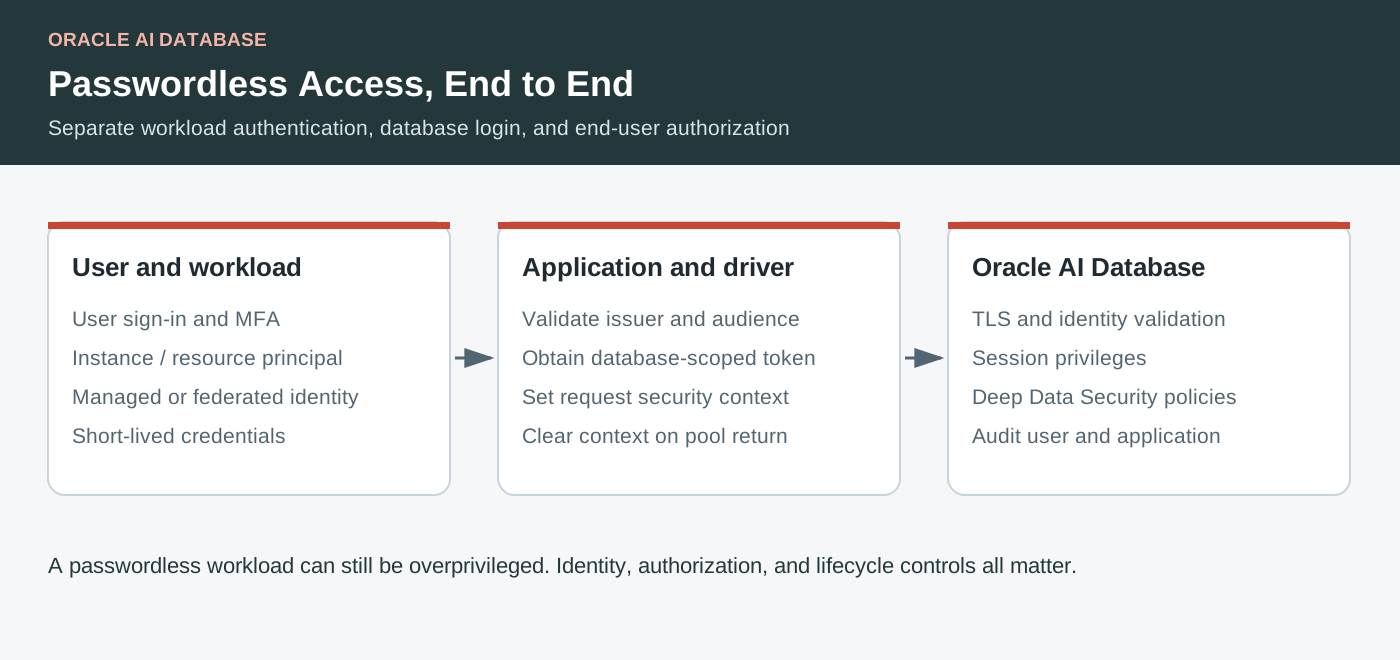
Key Takeaways
- Run the same read-only Java application with OCI or Entra token files, application-owned SDK suppliers, or JDBC providers.
- Database trust, principal-to-schema mapping, cloud authorization and TCPS must all agree before a token login can succeed.
- The repository contains complete source, configuration profiles including native JDBC properties files, SQL setup templates, concurrent UCP examples and automated tests.
- Verify token refresh with newly created physical connections; reusing an existing pooled session does not prove that refresh works.
A Java application can authenticate to Oracle AI Database with an OCI IAM or Microsoft Entra ID token instead of passing a database password. For OCI IAM, JDBC proves possession of a private key associated with the token. For Entra ID, it presents an access token intended for the database resource. The database validates that identity and maps it to an authorized schema.
This walkthrough combines the original IAM CLI/SDK and pooling examples with the JDBC extension approach, using a runnable application throughout. The concrete server setup targets Autonomous AI Database Serverless; other Oracle Database deployments need their own supported identity integration. The Java examples use current, pinned JDBC releases, while the database product is named Oracle AI Database 26ai.
Start with the setup for one identity provider, build the companion Java application, and choose a configuration profile. None of the Java token flows passes a database username or password. In this walkthrough:
- Key Takeaways
- Choose a token acquisition path
- Prerequisites and tested dependency versions
- Configure the database and identity
- Build and run the application
- Option 1: OCI CLI token files
- Option 2: Generate and cache OCI tokens with the SDK
- Option 3: Let the OCI provider acquire the token
- Option 4: Let the Entra provider acquire the token
- Entra alternatives: token files and SDK suppliers
- UCP: share the supplier and test physical connection replacement
- Verify the database identity
- Complete executable and source map
- Troubleshooting
- FAQ
Choose a token acquisition path
OCI and Entra each support external token files, application-owned SDK acquisition, and driver-selected providers. Their token formats differ: OCI uses a proof-of-possession private key; Entra uses a bearer JWT. Do not pass an OCI key to an Entra connection.
| Flow | Token acquisition | Replacement responsibility | Demo profile |
|---|---|---|---|
| OCI file | OCI CLI/external producer | Producer replaces token and matching PoP key coherently | oci-file.properties |
| Entra file | Approved Azure CLI/SDK/external producer | Producer replaces a private JWT file | entra-file.properties |
| OCI SDK | Application calls OCI identity data plane | JDBC cache around the acquisition supplier | oci-sdk.properties |
| Entra SDK | Application calls Azure Identity | JDBC cache around the acquisition supplier | entra-sdk.properties |
| OCI provider | Driver-selected OCI extension | Provider/cache | oci-config-file.properties and identity-specific profiles |
| Entra provider | Driver-selected Azure extension | Provider/cache | entra-service-principal.properties and identity-specific profiles |
The provider examples use oracle.jdbc.tokenAuthentication=OCI_* or AZURE_*. These settings select the corresponding extension; keep the provider JAR, but omit explicit oracle.jdbc.provider.accessToken settings. File modes use OCI_TOKEN or OAUTH; application-owned SDK modes attach a token supplier instead. Do not combine acquisition mechanisms on one data source. See the JDBC connection-property reference.
Background: Accessing Autonomous Database with IAM token using Java (Jean de Lavarene, Michael McMahon and Nirmala Sundarappa) and 23c JDBC seamless authentication with OCI IAM and Azure AD (Jean de Lavarene).
Prerequisites and tested dependency versions
Use JDK 17 or 21, Maven 3.9+, a reachable Autonomous Database, and an identity administrator who can configure the intended mapping. The demo needs only CREATE SESSION after setup and queries DUAL; it creates no application tables. You will also need OCI CLI for file examples and the actual hosting environment for workload identities.
The examples use JDBC and UCP 23.26.3.0.0, the OCI and Azure providers 1.1.0, OCI SDK 3.86.2, and Azure Identity 1.18.0. These versions were built and tested together. The JDBC artifact version is separate from the database product name.
JDBC, pooling and wallet support
Add these dependencies to your Maven project. Keep ucp17 for the pooling examples and oraclepki for the wallet-based connections used here.
<dependencies>
  <!-- JDBC driver -->
  <dependency>
    <groupId>com.oracle.database.jdbc</groupId>
    <artifactId>ojdbc17</artifactId>
    <version>23.26.3.0.0</version>
  </dependency>
  <!-- For the UCP examples -->
  <dependency>
    <groupId>com.oracle.database.jdbc</groupId>
    <artifactId>ucp17</artifactId>
    <version>23.26.3.0.0</version>
  </dependency>
  <!-- For Oracle wallet support -->
  <dependency>
    <groupId>com.oracle.database.security</groupId>
    <artifactId>oraclepki</artifactId>
    <version>23.26.3.0.0</version>
  </dependency>
</dependencies>
Add the provider for your identity service
Choose OCI, Microsoft Entra ID, or both if you are running all the examples. The provider dependencies include their cloud SDKs and are loaded at runtime.
<dependencies>
  <!-- OCI IAM -->
  <dependency>
    <groupId>com.oracle.database.jdbc</groupId>
    <artifactId>ojdbc-provider-oci</artifactId>
    <version>1.1.0</version>
    <scope>runtime</scope>
  </dependency>
  <!-- Microsoft Entra ID -->
  <dependency>
    <groupId>com.oracle.database.jdbc</groupId>
    <artifactId>ojdbc-provider-azure</artifactId>
    <version>1.1.0</version>
    <scope>runtime</scope>
  </dependency>
</dependencies>
No ojdbc8 exclusion is needed: these provider releases declare it with Maven’s provided scope, so it is not added to your application’s dependencies. The application uses the explicitly declared ojdbc17 driver above.
Additional dependencies for direct OCI SDK calls
Only the application-managed SDK example (OciTokens.java) needs these declarations. The first makes the token-request API available when compiling Java; the second supplies its HTTP transport at runtime. Provider-only applications can omit them.
<dependencies>
  <dependency>
    <groupId>com.oracle.oci.sdk</groupId>
    <artifactId>oci-java-sdk-identitydataplane</artifactId>
    <version>3.86.2</version>
  </dependency>
  <dependency>
    <groupId>com.oracle.oci.sdk</groupId>
    <artifactId>oci-java-sdk-common-httpclient-jersey</artifactId>
    <version>3.86.2</version>
    <scope>runtime</scope>
  </dependency>
</dependencies>
Combine the dependencies you need into your existing <dependencies> section. The repository’s complete pom.xml also contains SDK version alignment and the build configuration used to compile, test and package the runnable demo.
Additional dependency for direct Entra SDK calls
EntraTokens.java uses Azure Identity directly, so make it a compile-time dependency as well as a transitive runtime dependency of the provider:
<dependency>
  <groupId>com.azure</groupId>
  <artifactId>azure-identity</artifactId>
  <version>1.18.0</version>
</dependency>
Configure the database and identity
These examples target Autonomous AI Database Serverless. A JDBC release number does not enable identity integration on a database. Other Oracle Database deployments require their own supported server configuration. Use a lab database and an administrator for setup; the Java demo needs only CREATE SESSION and reads DUAL.
OCI IAM and Entra are alternative external identity provider configurations. Use separate lab databases to demonstrate both. The SQL scripts omit forced replacement and stop on errors. They are first-time setup scripts, not repeatable migrations. If TOKEN_DEMO already exists, inspect its mapping rather than dropping it.
OCI IAM setup
- Create or select an IAM user and group, for example TokenDemoUsers; add the user to that group. For non-default identity domains use the domain-qualified names supported by your tenancy.
- Create a policy scoped to the target database. Replace each placeholder in this example:
Allow group TokenDemoUsers to use autonomous-database-family in compartment DemoCompartment
where target.id = '<database-ocid>'- As ADMIN in SQLcl, SQL*Plus, or Database Actions, enable OCI IAM and map the user. With SQLcl run
@sql/oci-setup.sql; Database Actions users should run the SQL statements and replace the prompt variable manually. Enter the exact IAM name; a non-default domain usesdomain/name. The script creates TOKEN_DEMO and grants CREATE SESSION. A shared group mapping is included as an alternative. Choose one mapping for this demonstration. - For local API-key authentication, register an API signing public key with the IAM user and configure the matching private key using
oci setup config. Keep it outside the repository. An OCI config profile hasuser,tenancy,region,fingerprint, andkey_filevalues. The API signing key authenticates the OCI API request; it is different from the per-token proof-of-possession key. - Record the compartment and Autonomous Database OCIDs. Set
OCI_DB_SCOPEtourn:oracle:db::id::<compartment-ocid>::<database-ocid>. Token scope, cloud policy, and database mapping are independent requirements. - For an instance principal, create an IAM dynamic group whose matching rule contains the intended compute instance. For a resource principal, include the intended supported resource. Grant that dynamic group the scoped database policy and create a shared database mapping with
IAM_GROUP_NAME=<dynamic-group-name>. Run in the actual workload environment; choosing the profile on a laptop does not create that identity. Do not try to exclusively map an instance/resource principal as an IAM user.
For a session-token profile, first authenticate with oci session authenticate, then use the CLI with --auth security_token --profile <profile> or the SDK example with app.oci.authentication=session-token. A database token refresh cannot rescue an expired upstream login session: renew the login session too. The resource-provider config-file method in this release uses API-key configuration; do not assume it reads a session token just because one appears in the file. Cloud Shell and interactive provider profiles demonstrate the other supported user-session paths.
Sources: enable IAM, policies and dynamic groups, user mappings, OCI SDK authentication.
Run these statements as the database administrator; replace the IAM name with your own:
BEGIN
  DBMS_CLOUD_ADMIN.ENABLE_EXTERNAL_AUTHENTICATION(type => 'OCI_IAM');
END;
/
CREATE USER token_demo IDENTIFIED GLOBALLY AS
  'IAM_PRINCIPAL_NAME=<domain>/<user>';
GRANT CREATE SESSION TO token_demo;
SELECT name, value FROM v$parameter WHERE name = 'identity_provider_type';
For the default identity domain, use the IAM user name without a domain prefix if appropriate. The repository includes a prompted SQLcl script and the alternative shared-group mapping. An API key signs OCI API requests; the PoP key associated with each database token has a separate purpose.
Microsoft Entra ID setup
- Register the database resource application in the Entra tenant. Record its application ID and Application ID URI. Expose a delegated database scope such as
session:scope:connectfor interactive clients. The URI identifies the database resource; it is not the Java client’s ID. - On that database registration, define the app-role value
TokenDemo.Connect(the display name can differ). Allow Applications for client credentials and Users/Groups for interactive users, according to the intended scenarios. - Register the Java client application separately. For service-principal authentication, add the database app’s Application permission
TokenDemo.Connectand grant administrator consent. Configure a certificate or create a client secret.AZURE_CLIENT_IDidentifies this Java client, whereasENTRA_DB_APP_ID_URIidentifies the bare database resource. SDK/file acquisition uses the fullENTRA_DB_SCOPE, ending in/.defaultfor a workload. - For browser authentication, configure the client as a public/native client and register
http://localhost:8400as its redirect URI. Give it the delegated database permission and any required consent. Assign the user/group to the database application’s role. For device-code authentication enable the appropriate public-client flow. These flows are subject to tenant Conditional Access policy. For v2 interactive tokens, configure theupnoptional claim as described in Oracle’s guide. - For managed identity, assign the database app role to the managed identity’s service principal; enabling an Azure VM identity alone does not grant database access. Use the identity’s client ID for a user-assigned identity. Unset
AZURE_CLIENT_IDfor a system-assigned identity so an unrelated application ID is not selected. - As ADMIN on the Entra lab database, run
@sql/entra-setup.sql. Supply the tenant and database registration values. The script enablesAZURE_AD, mapsAZURE_ROLE=TokenDemo.Connectto TOKEN_DEMO, and grants CREATE SESSION. The SQL provider identifier remains AZURE_AD even though the product is now called Entra ID. - If the database already trusts the intended Entra resource, preserve that provider configuration and existing DDS roles. Add only the dedicated demo role/assignment and, after checking that TOKEN_DEMO does not already exist, the CREATE USER and GRANT statements. Do not rerun first-time enablement on an existing integration.
- For a v1 token, match the registered database Application ID URI. For v2, follow Oracle’s audience configuration guidance; the token audience is the application ID. Verify the token version and resource configuration with the administrators rather than substituting a Microsoft Graph scope.
Sources: registration, roles, consent, token versions, and server setup, schema mapping, managed identity app-role assignment.
The corresponding database SQL uses the database resource registration, not the client application:
BEGIN
  DBMS_CLOUD_ADMIN.ENABLE_EXTERNAL_AUTHENTICATION(
    type => 'AZURE_AD',
    params => JSON_OBJECT(
      'tenant_id' VALUE '<tenant-id>',
      'application_id' VALUE '<database-application-id>',
      'application_id_uri' VALUE 'https://<tenant-domain>/<database-application-id>'),
    force => FALSE);
END;
/
CREATE USER token_demo IDENTIFIED GLOBALLY AS 'AZURE_ROLE=TokenDemo.Connect';
GRANT CREATE SESSION TO token_demo;
The two enablement procedures are alternatives. Do not run both against the same database as if they were additive configuration. The supplied scripts stop when an incompatible provider is already enabled, leaving the administrator to choose a separate lab database or plan a deliberate migration.
TLS and wallet configuration
Use EZConnect+ with the database’s TCPS host, port and service. The pinned JDBC driver enables server identity matching by default; no redundant DN-match URL flag is necessary. Do not disable validation or use a naming alias.
jdbc:oracle:thin:@tcps://<adb-host>:1522/<service>?connect_timeout=20For mTLS, store the wallet outside the checkout and add this property to an ignored local profile. Set the directory environment variable to its absolute path:
oracle.net.wallet_location=(SOURCE=(METHOD=FILE)(METHOD_DATA=(DIRECTORY=${ADB_WALLET_DIR})))If required, inject oracle.net.wallet_password through the runtime secret facility. The wallet is a TLS credential, not the OCI token directory or Entra JWT file. TLS-only endpoints need no client wallet when the JVM trusts the server CA. Preserve the deployment’s transport requirements.
Build and run the application
git clone https://github.com/oracle-samples/oracle-db-examples.git
cd oracle-db-examples/java/jdbc-token-auth
mvn -B verify
./run.sh --help

# Replace with the host, TCPS port and service from Database Connection.
export ADB_JDBC_URL='jdbc:oracle:thin:@tcps://<adb-host>:1522/<service>'
export OCI_COMPARTMENT_ID='<compartment-ocid>'
export OCI_DATABASE_ID='<database-ocid>'
export OCI_CONFIG_FILE="$HOME/.oci/config"
export OCI_PROFILE=DEFAULT
export OCI_DB_SCOPE='urn:oracle:db::id::<compartment-ocid>::<database-ocid>'
Use the actual TCPS host, port and service for your database. For mTLS add wallet properties to an ignored local copy of a profile as explained in setup. The demo loads ${VARIABLE} placeholders itself and rejects missing variables without logging their values. It does not load .env files automatically.
./run.sh config/oci-config-file.properties check
./run.sh config/oci-config-file.properties jdbc
./run.sh config/oci-config-file.properties ucp
check only validates configuration and makes no cloud/database connection. jdbc opens a physical connection per round. ucp performs four concurrent tasks through a pool of at most two connections, propagates worker failures, and destroys the pool on exit. Windows users can invoke java -cp "target/oracle-jdbc-token-auth-demo-1.0.0.jar;target/lib/*" demo.TokenAuthDemo ... after Maven builds it.
Interpret a successful run carefully: TokenAuthDemo.query() prints the session user, authenticated identity and authentication method, but does not assert their expected values. A zero exit status means the connection and query succeeded; manually verify that user is the intended database schema and authentication is TOKEN_GLOBAL before treating the run as proof of token authentication. The separate OciWorkloadPrincipalDemo performs those assertions and prints PASS only when they match.
Every Java sample connection also sets Oracle JDBC Thin’s v$session.program to devrel-developerhub-java-jdbc-token-auth. This is the database-visible program identifier for this sample, using the required devrel-developerhub-<content-name> convention; Oracle JDBC documents this property as the value shown in V$SESSION.PROGRAM (JDBC connection-property reference).
Option 1: OCI CLI token files
umask 077
oci iam db-token get --profile "$OCI_PROFILE"
export OCI_DB_TOKEN_DIR="$HOME/.oci/db-token"
./run.sh config/oci-file.properties jdbc
./run.sh config/oci-file.properties ucp

# Alternatives: run only in a configured identity environment.
oci --auth instance_principal iam db-token get
oci --auth resource_principal iam db-token get
# A session-token profile must be created/renewed with oci session authenticate.
oci --auth security_token --profile SESSION iam db-token get
The directory must contain token and its matching oci_db_key.pem. JDBC reads them with oracle.jdbc.tokenAuthentication=OCI_TOKEN and oracle.jdbc.tokenLocation. These are a database token and PoP key, not the API signing key or TLS wallet. File mode does not invoke the CLI or acquire replacements. For this demo, stop the application, regenerate the pair, and restart. A long-lived producer needs coordinated reads/writes of both files: replacing two files individually is not an atomic pair update. Prefer SDK/provider mode for a continuously running service.
The file profile is complete and can be passed directly to the launcher:
# Use an EZConnect+ TCPS URL with the host, port, and service from Database Connection.
app.url=${ADB_JDBC_URL}
app.mode=file
oracle.jdbc.tokenAuthentication=OCI_TOKEN
oracle.jdbc.tokenLocation=${OCI_DB_TOKEN_DIR}
The underlying JDBC call is small. This excerpt demonstrates a single physical connection; the executable application also validates configuration and prints the authenticated identity:
OracleDataSource ds = new OracleDataSource();
ds.setURL(System.getenv("ADB_JDBC_URL"));
Properties properties = new Properties();
properties.setProperty("oracle.jdbc.tokenAuthentication", "OCI_TOKEN");
properties.setProperty("oracle.jdbc.tokenLocation", System.getenv("OCI_DB_TOKEN_DIR"));
ds.setConnectionProperties(properties);
try (Connection connection = ds.getConnection()) {
    // Execute the read-only identity query shown below.
}
Option 2: Generate and cache OCI tokens with the SDK
./run.sh config/oci-sdk.properties builder
./run.sh config/oci-sdk.properties jdbc 3
./run.sh config/oci-sdk.properties ucp
OciTokens.java generates a 2048-bit RSA pair, sends the public key and database scope to the OCI identity data plane, and constructs AccessToken.createJsonWebToken(jwt, privateKey). It keeps the private key in memory. builder supplies one newly acquired token through createConnectionBuilder().accessToken(...); jdbc and ucp attach a cached supplier created by AccessToken.createJsonWebTokenCache(...) to the data source. No custom refresh scheduler is required.
For other SDK identities copy the profile to config/oci-sdk.local.properties, change app.oci.authentication to session-token, instance-principal, or resource-principal, and remove unused app.oci.configFile and app.oci.profile lines for workload identities. Session credentials must remain valid for future token requests. Do not combine the supplier with username/password or an access-token provider on the same data source.
Here is the complete supplier implementation used by the application:
package demo;

import com.oracle.bmc.auth.AbstractAuthenticationDetailsProvider;
import com.oracle.bmc.auth.ConfigFileAuthenticationDetailsProvider;
import com.oracle.bmc.auth.InstancePrincipalsAuthenticationDetailsProvider;
import com.oracle.bmc.auth.ResourcePrincipalAuthenticationDetailsProvider;
import com.oracle.bmc.auth.SessionTokenAuthenticationDetailsProvider;
import com.oracle.bmc.identitydataplane.DataplaneClient;
import com.oracle.bmc.identitydataplane.model.GenerateScopedAccessTokenDetails;
import com.oracle.bmc.identitydataplane.requests.GenerateScopedAccessTokenRequest;
import oracle.jdbc.AccessToken;
import java.security.KeyPairGenerator;
import java.util.Base64;
import java.util.Properties;
import java.util.function.Supplier;

/** Application-owned SDK acquisition: the PoP key never leaves memory. */
public final class OciTokens {
    private OciTokens() {}

    public static Supplier<? extends AccessToken> cached(Properties settings) {
        return AccessToken.createJsonWebTokenCache(() -> request(settings));
    }

    public static AccessToken request(Properties settings) {
        try {
            String profile = settings.getProperty("app.oci.profile", "DEFAULT");
            String file = settings.getProperty("app.oci.configFile",
                    System.getProperty("user.home") + "/.oci/config");
            AbstractAuthenticationDetailsProvider identity = switch (
                    settings.getProperty("app.oci.authentication", "config-file")) {
                case "config-file" -> new ConfigFileAuthenticationDetailsProvider(file, profile);
                case "session-token" -> new SessionTokenAuthenticationDetailsProvider(file, profile);
                case "instance-principal" -> InstancePrincipalsAuthenticationDetailsProvider.builder().build();
                case "resource-principal" -> ResourcePrincipalAuthenticationDetailsProvider.builder().build();
                default -> throw new IllegalArgumentException("Unsupported app.oci.authentication");
            };
            try {
                var generator = KeyPairGenerator.getInstance("RSA");
                generator.initialize(2048);
                var pair = generator.generateKeyPair();
                var details = GenerateScopedAccessTokenDetails.builder()
                        .scope(Settings.required(settings, "app.oci.scope"))
                        .publicKey(Base64.getEncoder().encodeToString(pair.getPublic().getEncoded()))
                        .build();
                try (var client = DataplaneClient.builder().build(identity)) {
                    String jwt = client.generateScopedAccessToken(GenerateScopedAccessTokenRequest.builder()
                            .generateScopedAccessTokenDetails(details).build()).getSecurityToken().getToken();
                    return AccessToken.createJsonWebToken(jwt.toCharArray(), pair.getPrivate());
                }
            } finally {
                if (identity instanceof SessionTokenAuthenticationDetailsProvider session) session.close();
            }
        } catch (Exception failure) {
            // SDK exception messages can contain request details; the CLI prints only the type.
            throw new IllegalStateException("OCI token acquisition failed", failure);
        }
    }
}
For a single connection, use the builder. For repeated physical connections, attach the cached supplier to the data source. These are alternative configurations:
// Single-token builder example
OracleDataSource ds = new OracleDataSource();
ds.setURL(config.url());
ds.setConnectionProperties(config.jdbc());
try (Connection c = ds.createConnectionBuilder()
        .accessToken(OciTokens.request(config.app())).build()) {
    // Run the identity query.
}

// Reusable data source example
OracleDataSource reusable = new OracleDataSource();
reusable.setURL(config.url());
reusable.setConnectionProperties(config.jdbc());
reusable.setTokenSupplier(OciTokens.cached(config.app()));
try (Connection c = reusable.getConnection()) {
    // Run the identity query.
}
config is the application’s validated Settings object. The cached supplier is shared by callers; Oracle’s AccessToken API defines its expiry-aware behavior and serialization of calls into the acquisition supplier. The cache does not turn failed cloud authentication into a successful database session: acquisition failures must remain observable.
Option 3: Let the OCI provider acquire the token
Jump to the full Compute instance-principal example, Data Science resource-principal example, or complete Java program.
./run.sh config/oci-config-file.properties jdbc
./run.sh config/oci-instance-principal.properties ucp
./run.sh config/oci-resource-principal.properties ucp
./run.sh config/oci-cloud-shell.properties jdbc
./run.sh config/oci-interactive.properties jdbc
Run the applicable command in its intended environment. Set oracle.jdbc.tokenAuthentication to OCI_API_KEY, OCI_INSTANCE_PRINCIPAL, OCI_RESOURCE_PRINCIPAL, OCI_DELEGATION_TOKEN (Cloud Shell), or OCI_INTERACTIVE. The driver selects the extension automatically, without explicit access-token-provider properties. The provider acquires and caches tokens. Cloud Shell uses its managed session; interactive authentication opens a browser and requires a usable desktop callback. The config-file provider path is for API-key configuration; use SDK session-token mode for an OCI CLI session-token profile.
For instance and resource principals, put the token mode directly in the TCPS EZConnect+ URL:
jdbc:oracle:thin:@tcps://<host>:<port>/<service>?token_auth=oci_instance_principalFor a resource principal, replace oci_instance_principal with oci_resource_principal. Set the database scope (oracle.jdbc.ociCompartment and oracle.jdbc.ociDatabase) as JDBC connection properties; the OCI SDK/provider obtains and caches the token from the runtime identity. Keep the OCI provider dependency on the classpath. This URL can be used with JDBC or UCP.
The API-key profile supplies all provider properties:
# EZConnect+: jdbc:oracle:thin:@tcps://host:port/service
app.url=${ADB_JDBC_URL}
app.mode=provider
oracle.jdbc.tokenAuthentication=OCI_API_KEY
oracle.jdbc.ociCompartment=${OCI_COMPARTMENT_ID}
oracle.jdbc.ociDatabase=${OCI_DATABASE_ID}
oracle.jdbc.ociConfigFile=${OCI_CONFIG_FILE}
oracle.jdbc.ociProfile=${OCI_PROFILE}
For instance or resource principals, the matching profiles change oracle.jdbc.tokenAuthentication and omit file/profile settings. For an existing Java application, load these oracle.jdbc.* properties into its OracleDataSource or UCP data source and add the OCI provider dependency. The SQL/query code remains the same. The existing demo profiles use Settings for their application-specific app.* keys and environment substitution. Passing a Properties object directly to a data source does not itself expand ${...}.
Alternative: let JDBC load and expand its properties file
Oracle JDBC supports native substitution through oracle.jdbc.configFile. The driver reads the file for each physical connection and resolves ${NAME} from JVM system properties or environment variables, with system properties taking precedence; an unresolved name fails. This native file contains JDBC properties, not the demo’s app.* keys.
# config/native-oci-instance.properties
oracle.jdbc.tokenAuthentication=OCI_INSTANCE_PRINCIPAL
oracle.jdbc.ociCompartment=${OCI_COMPARTMENT_ID}
oracle.jdbc.ociDatabase=${OCI_DATABASE_ID}
oracle.net.CONNECT_TIMEOUT=15000
oracle.jdbc.ReadTimeout=30000
OracleDataSource ds = new OracleDataSource();
ds.setURL(System.getenv("ADB_JDBC_URL")); // TCPS EZConnect+ URL
ds.setConnectionProperty(OracleConnection.CONNECTION_PROPERTY_CONFIG_FILE,
    Path.of("config/native-oci-instance.properties").toAbsolutePath().toString());
try (Connection connection = ds.getConnection()) {
    // Execute a read-only identity query.
}
The sample project includes demo.NativeConfigFileDemo and native OCI instance-principal and Entra managed-identity profiles. It delegates property loading to JDBC, validates the TCPS EZConnect+ URL, and queries only the session identity. After building and setting the profile’s environment variables, run:
java -cp 'target/classes:target/lib/*' demo.NativeConfigFileDemo config/native-oci-instance.properties
# In an authorized Azure managed-identity runtime instead:
java -cp 'target/classes:target/lib/*' demo.NativeConfigFileDemo config/native-entra-managed.properties
Use trusted files only, keep secrets and wallets out of Git, and retain TLS verification. Native-file wiring is unit-tested; these new entry points are not presented as live cloud login validation.
The OCI interactive profile uses the same database scope and simply selects OCI_INTERACTIVE:
# EZConnect+: jdbc:oracle:thin:@tcps://host:port/service
app.url=${ADB_JDBC_URL}
app.mode=provider
oracle.jdbc.tokenAuthentication=OCI_INTERACTIVE
oracle.jdbc.ociCompartment=${OCI_COMPARTMENT_ID}
oracle.jdbc.ociDatabase=${OCI_DATABASE_ID}
Complete instance- and resource-principal examples
The following two recipes run the same complete Java program in different OCI runtimes. These examples compile and pass automated tests; live Compute/Data Science login and renewal have not yet been validated here. An API-key login is not evidence for either workload principal. The source, pinned Maven dependencies and runnable profiles are in oracle-db-examples/java/jdbc-token-auth; the complete deployment guide records the verification boundaries.
Use a dedicated IAM-enabled Autonomous AI Database with a TLS endpoint reachable from the workload. Its administrator can enable IAM with the following call if it is not already enabled; do not switch a shared or Entra-configured database for this test:
BEGIN
  DBMS_CLOUD_ADMIN.ENABLE_EXTERNAL_AUTHENTICATION(type => 'OCI_IAM');
END;
/
Both recipes follow Autonomous’s service-specific dynamic-group/shared-schema mapping. Substitute real identifiers and identity-domain-qualified group names where necessary. The general Database Security Guide additionally describes exclusive principal-OCID mappings; do not assume all service/version combinations accept the same alternatives. See Autonomous IAM policy guidance and general principal mapping guidance.
OCI_INSTANCE_PRINCIPAL: OCI Compute
- Select a dedicated Compute VM with network access to the database and OCI IAM. Create dynamic group
JdbcInstanceDemo, matching only that VM:instance.id = '<compute-instance-ocid>' - Grant the group’s documented Autonomous token-access policy, scoped to the database:
Allow dynamic-group JdbcInstanceDemo to use autonomous-database-family in compartment id <database-compartment-ocid> where target.id = '<autonomous-database-ocid>' - As database administrator, create the dedicated global schema with only session access:
CREATE USER TOKEN_INSTANCE_DEMO IDENTIFIED GLOBALLY AS 'IAM_GROUP_NAME=JdbcInstanceDemo'; GRANT CREATE SESSION TO TOKEN_INSTANCE_DEMO; - On the VM, install Java 17+ and Maven, then build and run:
git clone https://github.com/oracle-samples/oracle-db-examples.git cd oracle-db-examples/java/jdbc-token-auth mvn -B -ntp verify export ADB_JDBC_URL='jdbc:oracle:thin:@tcps://<host>:<port>/<service>' export OCI_COMPARTMENT_ID='<database-compartment-ocid>' export OCI_DATABASE_ID='<autonomous-database-ocid>' export EXPECTED_DB_USER=TOKEN_INSTANCE_DEMO java -cp 'target/classes:target/lib/*' demo.OciWorkloadPrincipalDemo instance check java -cp 'target/classes:target/lib/*' demo.OciWorkloadPrincipalDemo instance jdbc java -cp 'target/classes:target/lib/*' demo.OciWorkloadPrincipalDemo instance ucp
The program explicitly selects OCI_INSTANCE_PRINCIPAL. The provider uses the VM’s instance identity; no OCI CLI login, API-key profile, database password, or explicit access-token-provider property is supplied. Processes on the VM can share its principal, so protect instance metadata access. This flow does not turn a laptop into an OCI instance.
OCI_RESOURCE_PRINCIPAL: OCI Data Science notebook
- Use a dedicated Data Science notebook session with database/IAM connectivity. Open its JupyterLab terminal. Create dynamic group
JdbcResourceDemofor only that notebook:ALL {resource.type = 'datasciencenotebooksession', resource.id = '<notebook-session-ocid>'} - Create its separate, database-scoped policy:
Allow dynamic-group JdbcResourceDemo to use autonomous-database-family in compartment id <database-compartment-ocid> where target.id = '<autonomous-database-ocid>' - As database administrator, create its dedicated global schema:
CREATE USER TOKEN_RESOURCE_DEMO IDENTIFIED GLOBALLY AS 'IAM_GROUP_NAME=JdbcResourceDemo'; GRANT CREATE SESSION TO TOKEN_RESOURCE_DEMO; - Install Java 17+ and Maven in the notebook environment, then run in its terminal:
git clone https://github.com/oracle-samples/oracle-db-examples.git cd oracle-db-examples/java/jdbc-token-auth mvn -B -ntp verify export ADB_JDBC_URL='jdbc:oracle:thin:@tcps://<host>:<port>/<service>' export OCI_COMPARTMENT_ID='<database-compartment-ocid>' export OCI_DATABASE_ID='<autonomous-database-ocid>' export EXPECTED_DB_USER=TOKEN_RESOURCE_DEMO java -cp 'target/classes:target/lib/*' demo.OciWorkloadPrincipalDemo resource check java -cp 'target/classes:target/lib/*' demo.OciWorkloadPrincipalDemo resource jdbc java -cp 'target/classes:target/lib/*' demo.OciWorkloadPrincipalDemo resource ucp
The program explicitly selects OCI_RESOURCE_PRINCIPAL; the SDK reads the service-provided resource-principal environment and credential material. Do not copy these credentials to a laptop or manufacture OCI_RESOURCE_PRINCIPAL_* values. Data Science caches its resource-principal token for 15 minutes, so a policy update may need time to become visible. See the notebook runtime documentation.
This is not an OKE or GKE workload-identity recipe. Their Kubernetes service-account identities are not interchangeable with this provider’s generic OCI resource-principal environment. Those integrations need separate token and database-acceptance tests. For Base Database Service, use its database-connections policy with target.database.id, not the Autonomous policy above.
The program below is the exact demo.OciWorkloadPrincipalDemo source in the example project. It uses that project’s Settings.validateUrl helper to require TCPS EZConnect+ and reject credentials, aliases and unsafe URL overrides. Build the full project, not this file alone. No tnsnames.ora or dn_match URL setting is required; use a trusted TLS endpoint and configure a wallet separately only if the database requires mTLS.Full Java source: explicit identity, read-only verification and bounded UCP
Complete JDBC and UCP program for both recipes
The program below is the exact demo.OciWorkloadPrincipalDemo source in the example project. It uses that project’s Settings.validateUrl helper to require TCPS EZConnect+ and reject credentials, aliases and unsafe URL overrides. Build the full project, not this file alone. No tnsnames.ora or dn_match URL setting is required; use a trusted TLS endpoint and configure a wallet separately only if the database requires mTLS.
Full Java source: explicit identity, read-only verification and bounded UCP:
package demo;

import java.sql.Connection;
import java.sql.SQLException;
import java.time.Duration;
import java.util.Map;
import java.util.Properties;
import java.util.Set;
import oracle.jdbc.datasource.impl.OracleDataSource;
import oracle.ucp.admin.UniversalConnectionPoolManagerImpl;
import oracle.ucp.jdbc.PoolDataSourceFactory;

/** Explicit OCI workload identity, with no database password or API-key fallback. */
public final class OciWorkloadPrincipalDemo {
    private OciWorkloadPrincipalDemo() { }

    record Config(String url, String expectedUser, Properties properties) { }

    static Config configure(String principal, Map<String, String> env) {
        String method = switch (principal) {
            case "instance" -> "OCI_INSTANCE_PRINCIPAL";
            case "resource" -> "OCI_RESOURCE_PRINCIPAL";
            default -> throw new IllegalArgumentException("Use instance or resource");
        };
        String url = required(env, "ADB_JDBC_URL");
        Settings.validateUrl(url);
        String expected = required(env, "EXPECTED_DB_USER");
        if (!expected.matches("[A-Z][A-Z0-9_]{0,127}"))
            throw new IllegalArgumentException("EXPECTED_DB_USER must be an uppercase unquoted schema name");
        Properties properties = new Properties();
        properties.setProperty("v$session.program", "devrel-developerhub-java-jdbc-token-auth");
        properties.setProperty("oracle.jdbc.tokenAuthentication", method);
        properties.setProperty("oracle.jdbc.ociCompartment", required(env, "OCI_COMPARTMENT_ID"));
        properties.setProperty("oracle.jdbc.ociDatabase", required(env, "OCI_DATABASE_ID"));
        properties.setProperty("oracle.net.CONNECT_TIMEOUT", "15000");
        properties.setProperty("oracle.jdbc.ReadTimeout", "30000");
        return new Config(url, expected, properties);
    }

    private static String required(Map<String, String> env, String name) {
        String value = env.get(name);
        if (value == null || value.isBlank()) throw new IllegalArgumentException("Set " + name);
        return value;
    }

    public static void main(String[] args) {
        try {
            if (args.length != 2 || !Set.of("check", "jdbc", "ucp").contains(args[1]))
                throw new IllegalArgumentException("Usage: OciWorkloadPrincipalDemo instance|resource check|jdbc|ucp");
            Config config = configure(args[0], System.getenv());
            if (args[1].equals("check")) {
                System.out.println("Configuration valid; no identity, token, or database test performed.");
                return;
            }
            // The runtime supplies instance metadata or resource-principal credentials.
            // Selecting a method does not create that identity on a developer laptop.
            if (args[1].equals("jdbc")) {
                OracleDataSource ds = new OracleDataSource();
                ds.setURL(config.url());
                ds.setConnectionProperties(config.properties());
                try (Connection connection = ds.getConnection()) {
                    verify(connection, config.expectedUser());
                }
            } else {
                var pool = PoolDataSourceFactory.getPoolDataSource();
                String name = "WorkloadPrincipalDemo";
                pool.setConnectionPoolName(name);
                pool.setConnectionFactoryClassName(OracleDataSource.class.getName());
                pool.setURL(config.url());
                pool.setConnectionProperties(config.properties());
                pool.setInitialPoolSize(0);
                pool.setMinPoolSize(0);
                pool.setMaxPoolSize(2);
                pool.setConnectionWaitDuration(Duration.ofSeconds(20));
                pool.setValidateConnectionOnBorrow(true);
                var manager = UniversalConnectionPoolManagerImpl.getUniversalConnectionPoolManager();
                try (Connection connection = pool.getConnection()) {
                    verify(connection, config.expectedUser());
                } finally {
                    if (java.util.Arrays.asList(manager.getConnectionPoolNames()).contains(name))
                        manager.destroyConnectionPool(name);
                }
            }
        } catch (Exception failure) {
            // Exception payloads can contain endpoints or credentials. Report codes only.
            if (failure instanceof IllegalArgumentException) System.err.println(failure.getMessage());
            else {
                System.err.println("Connection/identity check failed: " + failure.getClass().getSimpleName());
                for (Throwable cause = failure; cause != null; cause = cause.getCause())
                    if (cause instanceof SQLException sql)
                        System.err.println("Oracle error=" + sql.getErrorCode() + "; SQLState=" + sql.getSQLState());
            }
            System.exit(1);
        }
    }

    static void verifyIdentity(String expected, String actual, String authentication) throws SQLException {
        if (!expected.equals(actual) || !"TOKEN_GLOBAL".equals(authentication))
            throw new SQLException("Unexpected database identity or authentication method");
    }

    private static void verify(Connection connection, String expected) throws SQLException {
        try (var statement = connection.prepareStatement("""
                SELECT SYS_CONTEXT('USERENV','SESSION_USER'),
                       SYS_CONTEXT('USERENV','AUTHENTICATION_METHOD') FROM dual
                """)) {
            statement.setQueryTimeout(20);
            try (var rows = statement.executeQuery()) {
                if (!rows.next()) throw new SQLException("Identity query returned no row");
                verifyIdentity(expected, rows.getString(1), rows.getString(2));
                System.out.println("PASS: expected schema; authentication=TOKEN_GLOBAL; read-only query completed.");
            }
        }
    }
}
check validates configuration without calling OCI or the database. Only jdbc/ucp can print PASS after checking the expected schema and TOKEN_GLOBAL. The two scope properties prevent requesting an intentionally broad database token. JDBC connect/read/query timeouts do not bound the entire cloud token-acquisition operation.
The short runs do not establish renewal. After initial success, the existing ucp-fresh harness can replace physical connections across token expiry using the matching principal profile. Keep tokens and raw exceptions private. A negative test should use a separate excluded runtime, not revoke a shared production policy. Remove only dedicated example policies, groups, schemas and runtimes when finished.
Option 4: Let the Entra provider acquire the token
Use the URL of the Entra-configured database. Set these non-secret identifiers:
export AZURE_TENANT_ID='<tenant-id>'
export AZURE_CLIENT_ID='<java-client-application-id>'
export ENTRA_DB_APP_ID_URI='https://<tenant-domain>/<database-application-id>'
# Full scope for SDK/file acquisition; provider profiles use the bare URI.
export ENTRA_DB_SCOPE="${ENTRA_DB_APP_ID_URI}/.default"
For a client secret, inject AZURE_CLIENT_SECRET through the runtime’s secret facility. For a local Bash demonstration, read it without terminal echo or a literal in shell history:
read -r -s -p 'Client secret: ' AZURE_CLIENT_SECRET; echo
export AZURE_CLIENT_SECRET
./run.sh config/entra-service-principal.properties jdbc
./run.sh config/entra-service-principal.properties ucp
unset AZURE_CLIENT_SECRET
For certificate authentication, set AZURE_CLIENT_CERTIFICATE_PATH (and AZURE_CLIENT_CERTIFICATE_PASSWORD for an encrypted PFX), unset the client secret, and use the same service-principal profile. Register the corresponding certificate on the client application. The identity credential is not a database password.
Other examples:
# On Azure with a configured managed identity and database app-role assignment:
# For a system-assigned identity, unset AZURE_CLIENT_ID first.
./run.sh config/entra-managed-identity.properties ucp

# Public client with delegated permission, user role assignment and redirect URI:
# Keep ENTRA_DB_APP_ID_URI as the bare resource URI for provider profiles.
./run.sh config/entra-interactive.properties jdbc
./run.sh config/entra-device-code.properties jdbc
Browser/device-code paths authenticate a human; service-principal/managed-identity paths authenticate a workload. Never use the database resource ID as the Java client’s ID. See setup for registration, roles, consent and token-version details.
The profiles select AZURE_SERVICE_PRINCIPAL, AZURE_MANAGED_IDENTITY, AZURE_INTERACTIVE, or AZURE_DEVICE_CODE. The connection URL can select the provider mode directly:
jdbc:oracle:thin:@tcps://<host>:<port>/<service>?token_auth=azure_managed_identityChange token_auth to azure_service_principal, azure_interactive, or azure_device_code for those flows. Set oracle.jdbc.azureDatabaseApplicationIdUri to the database resource URI without /.default or /session:scope:connect as a JDBC connection property. A user-assigned managed identity or interactive flow can also need client and tenant properties. Never put a client secret or certificate material in a URL.
The service-principal properties profile is:
# EZConnect+: jdbc:oracle:thin:@tcps://host:port/service
app.url=${ADB_JDBC_URL}
app.mode=provider
oracle.jdbc.tokenAuthentication=AZURE_SERVICE_PRINCIPAL
# Database application URI, without /.default or /session:scope:connect.
oracle.jdbc.azureDatabaseApplicationIdUri=${ENTRA_DB_APP_ID_URI}
The browser profile makes the client, tenant and callback explicit:
# EZConnect+: jdbc:oracle:thin:@tcps://host:port/service
app.url=${ADB_JDBC_URL}
app.mode=provider
oracle.jdbc.tokenAuthentication=AZURE_INTERACTIVE
# Database application URI, without /.default or /session:scope:connect.
oracle.jdbc.azureDatabaseApplicationIdUri=${ENTRA_DB_APP_ID_URI}
oracle.jdbc.tenantId=${AZURE_TENANT_ID}
oracle.jdbc.clientId=${AZURE_CLIENT_ID}
oracle.jdbc.redirectUri=http://localhost:8400
The providers are documented in Oracle’s OCI module and Azure module. “Passwordless database access” does not necessarily mean “no secrets anywhere”: an API-key or client-secret flow still has an upstream identity credential. Workload identities can remove that application-managed credential where the deployment supports them.
Entra alternatives: token files and SDK suppliers
External Entra token file
An authorized external producer can write the database access token as a UTF-8 JWT file. Unlike OCI file mode, Entra needs no proof-of-possession key. The producer must request the database resource, not Microsoft Graph, and is responsible for renewal. Protect the directory, use file mode 0600, and replace a completed temporary file atomically. Do not print the JWT or commit it.
app.url=${ADB_JDBC_URL}
app.mode=file
oracle.jdbc.tokenAuthentication=OAUTH
oracle.jdbc.tokenLocation=${ENTRA_DB_TOKEN_FILE}
export ENTRA_DB_TOKEN_FILE='/private/path/to/entra-db-token'
./run.sh config/entra-file.properties jdbc
./run.sh config/entra-file.properties ucpAn Azure CLI producer with the necessary database consent can use az account get-access-token --resource "$ENTRA_DB_APP_ID_URI" --query accessToken -o tsv, redirected to that protected temporary file. CLI sign-in is not itself proof of database permission. An SDK producer can also write a token, as in the file-flow test. JDBC file mode does not invoke either producer.
Application-owned Azure Identity acquisition
The SDK flow uses AccessToken.createJsonWebToken(jwt.toCharArray()), without the OCI private-key argument. Builder mode passes one token; JDBC and UCP use AccessToken.createJsonWebTokenCache around the acquisition supplier. The checked-in profile is for a service principal and uses the application scope (/.default); human login uses a delegated database scope instead.
For a directly runnable interactive-browser profile, provide the tenant, public-client ID, database resource URI and delegated scope. Register http://localhost:8400 as a redirect URI on the public/native client, grant its delegated permission to the database application’s session:scope:connect scope, obtain consent, and assign the user/group the database application’s required role.
Compared with config/entra-sdk.properties, change app.entra.authentication from service-principal to interactive, replace its application /.default scope with the delegated /session:scope:connect scope, add the tenant and public-client IDs, and set the browser redirect URI.
export AZURE_TENANT_ID='<tenant-id>'
export AZURE_CLIENT_ID='<public-client-application-id>'
export ENTRA_DB_APP_ID_URI='https://<tenant-domain>/<database-application-id>'
export ENTRA_DB_SCOPE="${ENTRA_DB_APP_ID_URI}/session:scope:connect"
cat > config/entra-sdk-human.local.properties <<'EOF'
app.url=${ADB_JDBC_URL}
app.mode=entra-sdk
app.entra.authentication=interactive
app.entra.scope=${ENTRA_DB_SCOPE}
app.entra.tenantId=${AZURE_TENANT_ID}
app.entra.clientId=${AZURE_CLIENT_ID}
app.entra.redirectUri=http://localhost:8400
EOF
./run.sh config/entra-sdk-human.local.properties check
./run.sh config/entra-sdk-human.local.properties jdbc
./run.sh config/entra-sdk-human.local.properties ucp
For device-code login, keep the tenant, client, and delegated scope values, change app.entra.authentication=interactive to app.entra.authentication=device-code, and remove app.entra.redirectUri. Device-code login has no browser callback URI. These are explicit credential choices, not an automatic fallback chain.
Complete EntraTokens.java:
package demo;

import com.azure.core.credential.TokenCredential;
import com.azure.core.credential.TokenRequestContext;
import com.azure.identity.*;
import oracle.jdbc.AccessToken;
import java.time.Duration;
import java.util.Properties;
import java.util.function.Supplier;

/** Explicit Azure Identity acquisition; no database password or OCI PoP key. */
public final class EntraTokens {
    private EntraTokens() {}

    public static Supplier<? extends AccessToken> cached(Properties settings) {
        return AccessToken.createJsonWebTokenCache(supplier(settings));
    }

    static Supplier<AccessToken> supplier(Properties settings) {
        TokenCredential credential = switch (Settings.required(settings, "app.entra.authentication")) {
            // Azure Identity reads AZURE_TENANT_ID, AZURE_CLIENT_ID and secret/certificate from the environment.
            case "service-principal" -> new EnvironmentCredentialBuilder().build();
            case "managed-identity" -> {
                var builder = new ManagedIdentityCredentialBuilder();
                String clientId = System.getenv("AZURE_CLIENT_ID");
                if (clientId != null && !clientId.isBlank()) builder.clientId(clientId);
                yield builder.build();
            }
            case "interactive" -> new InteractiveBrowserCredentialBuilder()
                    .tenantId(Settings.required(settings, "app.entra.tenantId"))
                    .clientId(Settings.required(settings, "app.entra.clientId"))
                    .redirectUrl(settings.getProperty("app.entra.redirectUri", "http://localhost:8400"))
                    .build();
            case "device-code" -> new DeviceCodeCredentialBuilder()
                    .tenantId(Settings.required(settings, "app.entra.tenantId"))
                    .clientId(Settings.required(settings, "app.entra.clientId"))
                    .challengeConsumer(c -> System.out.println(c.getMessage())).build();
            case "azure-cli" -> new AzureCliCredentialBuilder()
                    .tenantId(Settings.required(settings, "app.entra.tenantId")).build();
            default -> throw new IllegalArgumentException("Unsupported app.entra.authentication");
        };
        String scope = Settings.required(settings, "app.entra.scope");
        return () -> {
            try {
                var token = credential.getToken(new TokenRequestContext().addScopes(scope))
                        .block(Duration.ofSeconds(120));
                if (token == null) throw new IllegalStateException("No Entra token returned");
                return AccessToken.createJsonWebToken(token.getToken().toCharArray());
            } catch (Exception failure) {
                throw new IllegalStateException("Entra token acquisition failed", failure);
            }
        };
    }
}
UCP: share the supplier and test physical connection replacement
The application configures one pool, two maximum physical connections, a bounded wait (20 seconds normally, 60 seconds for diagnostic replacement), and validation on borrow. Provider/file properties pass through to JDBC; SDK mode supplies the cached token supplier instead. Here is the actual pool setup method:
static PoolDataSource pool(Settings config, Supplier<? extends AccessToken> tokens, boolean fresh) throws SQLException {
        PoolDataSource ds = PoolDataSourceFactory.getPoolDataSource();
        ds.setConnectionPoolName("TokenAuthDemo");
        ds.setConnectionFactoryClassName(OracleDataSource.class.getName());
        ds.setURL(config.url());
        ds.setConnectionProperties(config.jdbc());
        ds.setInitialPoolSize(0);
        ds.setMinPoolSize(0);
        ds.setMaxPoolSize(2);
        ds.setConnectionWaitDuration(java.time.Duration.ofSeconds(fresh ? 60 : 20));
        ds.setValidateConnectionOnBorrow(true);
        if (tokens != null) ds.setTokenSupplier(tokens);
        // Diagnostic mode purges only between completed rounds, with no borrowers.
        return ds;
    }
Four tasks run through that pool in each round. Diagnostic mode purges only after all four have returned their connections, and verifies that the pool is empty before the next round. Worker exceptions are observed, every borrowed connection is closed, and the pool is destroyed on exit:
private static void runPool(Settings config, Supplier<? extends AccessToken> tokens,
                                boolean fresh, int rounds, int pause) throws Exception {
        PoolDataSource ds = pool(config, tokens, fresh);
        var executor = Executors.newFixedThreadPool(2);
        try {
            for (int round = 1; round <= rounds; round++) {
                final int current = round;
                List<Callable<Void>> tasks = new ArrayList<>();
                for (int i = 0; i < 4; i++) tasks.add(() -> {
                    try (Connection c = ds.getConnection()) {
                        query(c, current);
                    }
                    return null;
                });
                for (var result : executor.invokeAll(tasks)) result.get();
                if (fresh) {
                    // Keep the same data source/token cache, but retire all physical
                    // sessions after all workers have returned their connections.
                    UniversalConnectionPoolManagerImpl.getUniversalConnectionPoolManager()
                            .purgeConnectionPool(ds.getConnectionPoolName());
                    if (ds.getAvailableConnectionsCount() != 0 || ds.getBorrowedConnectionsCount() != 0)
                        throw new IllegalStateException("Diagnostic purge did not empty the pool");
                    System.out.println("round=" + round + " poolPurged=true available=0 borrowed=0");
                }
                if (round < rounds) Thread.sleep(pause * 1000L);
            }
        } finally {
            executor.shutdownNow();
            if (java.util.Arrays.asList(UniversalConnectionPoolManagerImpl
                    .getUniversalConnectionPoolManager().getConnectionPoolNames()).contains(ds.getConnectionPoolName()))
                UniversalConnectionPoolManagerImpl.getUniversalConnectionPoolManager()
                        .destroyConnectionPool(ds.getConnectionPoolName());
        }
    }
# Four tasks per round; purge physical sessions between completed rounds.
# About 74 minutes between first and final rounds, spanning a typical OCI token lifetime.
./run.sh config/oci-config-file.properties ucp-fresh 75 60
# Or use config/oci-sdk.properties / config/entra-service-principal.properties.
Token expiry governs creation of new authenticated connections. A still-open pooled session can keep working after its login token expires, so repeated borrows alone do not prove refresh. ucp-fresh purges all physical connections between completed rounds, with no active borrowers, and checks that available/borrowed counts are zero. The same data source and token cache remain in use; the next round must establish new database sessions. It allows a bounded 60-second replacement wait. Output includes session IDs for diagnosis, although the server can recycle those IDs. Run longer than the actual issuer token lifetime; no unit test proves cloud refresh.
Illustrative successful output (values depend on your identity/server):
round=1 user=TOKEN_DEMO identity=<mapped-principal> authentication=<server-reported-method> sid=<session-id>
Verify the database identity
The application uses a prepared statement with this read-only query:
SELECT SYS_CONTEXT('USERENV','SESSION_USER'),
       SYS_CONTEXT('USERENV','AUTHENTICATED_IDENTITY'),
       SYS_CONTEXT('USERENV','AUTHENTICATION_METHOD'),
       SYS_CONTEXT('USERENV','SID'), ? FROM dual
The bound value is the round number. Verify that SESSION_USER is the intended mapped schema. Identity and authentication-method text can vary by flow and server. Do not publish principal names from logs without review. No token or private key is printed.
Complete executable and source map
The repository contains every import, argument check, configuration loader and shutdown path. The complete main class is also included here for reference.
Complete TokenAuthDemo.java:
package demo;

import oracle.jdbc.AccessToken;
import oracle.jdbc.datasource.impl.OracleDataSource;
import oracle.ucp.jdbc.PoolDataSource;
import oracle.ucp.jdbc.PoolDataSourceFactory;
import oracle.ucp.admin.UniversalConnectionPoolManagerImpl;
import java.nio.file.Path;
import java.sql.Connection;
import java.sql.SQLException;
import java.util.ArrayList;
import java.util.List;
import java.util.concurrent.Callable;
import java.util.concurrent.Executors;
import java.util.function.Supplier;

/** Executable JDBC, builder, and concurrent UCP authentication demonstrations. */
public final class TokenAuthDemo {
    public static void main(String[] args) {
        if (args.length == 0 || args[0].equals("--help")) {
            System.out.println("Usage: run.sh CONFIG [check|jdbc|builder|ucp|ucp-fresh] [rounds=1] [pauseSeconds=0]");
            return;
        }
        try {
            if (args.length > 4) throw new IllegalArgumentException("Too many arguments");
            String action = args.length > 1 ? args[1] : "jdbc";
            if (!java.util.Set.of("check", "jdbc", "builder", "ucp", "ucp-fresh").contains(action))
                throw new IllegalArgumentException("Unknown action; use --help");
            int rounds = args.length > 2 ? Integer.parseInt(args[2]) : 1;
            int pause = args.length > 3 ? Integer.parseInt(args[3]) : 0;
            if (rounds < 1 || rounds > 10000 || pause < 0 || pause > 86400)
                throw new IllegalArgumentException("rounds: 1..10000; pauseSeconds: 0..86400");
            Settings config = Settings.load(Path.of(args[0]), System.getenv());
            if (action.equals("builder") && !java.util.Set.of("sdk", "entra-sdk").contains(config.mode()))
                throw new IllegalArgumentException("builder requires SDK mode");
            if (action.equals("check")) {
                System.out.println("Configuration valid: mode=" + config.mode() + "; no cloud or database connection attempted");
                return;
            }
            Supplier<? extends AccessToken> tokens = switch (config.mode()) {
                case "sdk" -> OciTokens.cached(config.app());
                case "entra-sdk" -> action.equals("builder") ? EntraTokens.supplier(config.app()) : EntraTokens.cached(config.app());
                default -> null;
            };
            if (action.startsWith("ucp")) runPool(config, tokens, action.equals("ucp-fresh"), rounds, pause);
            else {
                OracleDataSource ds = new OracleDataSource();
                ds.setURL(config.url());
                ds.setConnectionProperties(config.jdbc());
                if (tokens != null && !action.equals("builder")) ds.setTokenSupplier(tokens);
                for (int round = 1; round <= rounds; round++) {
                    try (Connection c = action.equals("builder")
                            ? ds.createConnectionBuilder().accessToken(config.mode().equals("sdk")
                                ? OciTokens.request(config.app()) : tokens.get()).build()
                            : ds.getConnection()) {
                        query(c, round);
                    }
                    if (round < rounds) Thread.sleep(pause * 1000L);
                }
            }
        } catch (Exception failure) {
            if (failure instanceof InterruptedException) Thread.currentThread().interrupt();
            if (failure instanceof IllegalArgumentException) System.err.println(failure.getMessage());
            else {
                Throwable cause = failure;
                while (cause.getCause() != null) cause = cause.getCause();
                System.err.println("Run failed: " + cause.getClass().getSimpleName());
                if (cause instanceof SQLException sql)
                    System.err.println("Oracle error code=" + sql.getErrorCode() + "; SQLState=" + sql.getSQLState());
                if (cause instanceof oracle.ucp.UniversalConnectionPoolException poolFailure)
                    System.err.println("UCP error code=" + poolFailure.getErrorCode());
                System.err.println("See docs/troubleshooting.md. Credential values and exception payloads are not logged.");
            }
            System.exit(1);
        }
    }

    static PoolDataSource pool(Settings config, Supplier<? extends AccessToken> tokens, boolean fresh) throws SQLException {
        PoolDataSource ds = PoolDataSourceFactory.getPoolDataSource();
        ds.setConnectionPoolName("TokenAuthDemo");
        ds.setConnectionFactoryClassName(OracleDataSource.class.getName());
        ds.setURL(config.url());
        ds.setConnectionProperties(config.jdbc());
        ds.setInitialPoolSize(0);
        ds.setMinPoolSize(0);
        ds.setMaxPoolSize(2);
        ds.setConnectionWaitDuration(java.time.Duration.ofSeconds(fresh ? 60 : 20));
        ds.setValidateConnectionOnBorrow(true);
        if (tokens != null) ds.setTokenSupplier(tokens);
        // Diagnostic mode purges only between completed rounds, with no borrowers.
        return ds;
    }

    private static void runPool(Settings config, Supplier<? extends AccessToken> tokens,
                                boolean fresh, int rounds, int pause) throws Exception {
        PoolDataSource ds = pool(config, tokens, fresh);
        var executor = Executors.newFixedThreadPool(2);
        try {
            for (int round = 1; round <= rounds; round++) {
                final int current = round;
                List<Callable<Void>> tasks = new ArrayList<>();
                for (int i = 0; i < 4; i++) tasks.add(() -> {
                    try (Connection c = ds.getConnection()) {
                        query(c, current);
                    }
                    return null;
                });
                for (var result : executor.invokeAll(tasks)) result.get();
                if (fresh) {
                    // Keep the same data source/token cache, but retire all physical
                    // sessions after all workers have returned their connections.
                    UniversalConnectionPoolManagerImpl.getUniversalConnectionPoolManager()
                            .purgeConnectionPool(ds.getConnectionPoolName());
                    if (ds.getAvailableConnectionsCount() != 0 || ds.getBorrowedConnectionsCount() != 0)
                        throw new IllegalStateException("Diagnostic purge did not empty the pool");
                    System.out.println("round=" + round + " poolPurged=true available=0 borrowed=0");
                }
                if (round < rounds) Thread.sleep(pause * 1000L);
            }
        } finally {
            executor.shutdownNow();
            if (java.util.Arrays.asList(UniversalConnectionPoolManagerImpl
                    .getUniversalConnectionPoolManager().getConnectionPoolNames()).contains(ds.getConnectionPoolName()))
                UniversalConnectionPoolManagerImpl.getUniversalConnectionPoolManager()
                        .destroyConnectionPool(ds.getConnectionPoolName());
        }
    }

    private static void query(Connection connection, int round) throws SQLException {
        try (var statement = connection.prepareStatement("""
                SELECT SYS_CONTEXT('USERENV','SESSION_USER'),
                       SYS_CONTEXT('USERENV','AUTHENTICATED_IDENTITY'),
                       SYS_CONTEXT('USERENV','AUTHENTICATION_METHOD'),
                       SYS_CONTEXT('USERENV','SID'), ? FROM dual
                """)) {
            statement.setQueryTimeout(20);
            statement.setInt(1, round);
            try (var rows = statement.executeQuery()) {
                if (!rows.next()) throw new SQLException("Identity query returned no rows");
                System.out.printf("round=%d user=%s identity=%s authentication=%s sid=%s%n",
                        rows.getInt(5), rows.getString(1), rows.getString(2), rows.getString(3), rows.getString(4));
            }
        }
    }
}
| File | Responsibility |
|---|---|
| TokenAuthDemo.java | Executable JDBC/builder/UCP flows, concurrent tasks, read-only query and shutdown |
| OciTokens.java | SDK identity selection, scoped token request, PoP key, cached supplier |
| EntraTokens.java | Explicit Azure Identity credential, database scope, bearer JWT, cached supplier |
| Settings.java | Environment substitution, TCPS and token-mode validation |
| config | Profiles for file, SDK, OCI and Entra methods, plus native JDBC configuration examples |
| sql | Administrator setup templates for each identity provider |
| troubleshooting | Failure diagnosis and live acceptance procedure |
mvn verify checks configuration security boundaries, all shipped profiles, UCP settings and discovery of the actual released OCI/Azure providers. CI runs JDK 17 and 21. Cloud tests require configured external identities. Supported configuration profiles are not proof that every identity method has been exercised.
Troubleshooting
| Symptom | Check |
|---|---|
| Configuration check fails | Set each named environment variable; use an EZConnect+ TCPS URL; choose one acquisition method. The check does not validate cloud credentials. |
| Missing provider / class not found | Run mvn clean verify; keep all target/lib JARs. The runtime uses the original JAR service descriptors. Do not shade them without service-resource merging. |
| ORA-01017 | Token audience/scope, external provider, mapping, cloud permission, expired token, and credentials. This code alone does not establish which is wrong. A password connection failing with this error has not tested tokens. |
| ORA-01045 | Grant CREATE SESSION to the mapped schema. |
| ORA-20004 during setup | Another identity provider is already configured. Use the corresponding lab database; these scripts do not force replacement. |
| Timeout / ORA-125xx | DNS, routing, ACLs, private endpoint access, TCPS port, and service name. |
| TLS / wallet failure | Correct database wallet, CA trust, wallet path and password if needed; preserve server name checks. |
| OCI authorization failure | Correct API profile or actual workload identity; policy target OCID, group/dynamic group, scope and database mapping must agree. |
| Entra invalid scope / unauthorized client | Use database resource scope rather than Graph; distinguish client and resource IDs, app roles, consent, and tenant policy. |
| Initial connection works; later physical connections fail | Token refresh, upstream identity expiry, IAM endpoint reachability, or CLI file refresh. Existing pooled sessions can hide the problem. |
The CLI emits exception type and Oracle/UCP numeric codes, not full exception payloads. Inspect detailed diagnostics only in a controlled environment: SDK logging may include identity/request information. Do not paste live tokens into online decoders. Identity query output contains principal names; redact them before sharing logs.
FAQs
Do I still need a wallet when I use a token?
Token authentication and TLS are separate. An mTLS database endpoint still needs its client wallet. A supported TLS-only endpoint can avoid a client wallet when the JVM trusts the server certificate chain. Keep server identity verification enabled in either case.
Which token approach should I choose?
Use file tokens when an existing external process owns token generation. Use the SDK supplier when your application needs direct control of OCI acquisition. Use the provider profiles to keep token acquisition out of application code while selecting an explicit cloud identity method.
Why can a connection pool work after a token expires?
An existing authenticated physical session can remain usable. Expiry is relevant when a new physical connection authenticates. The demo’s ucp-fresh mode forces replacement connections so a long run can expose refresh failures; normal repeated borrows are insufficient evidence.
Can I use the OCI and Entra profiles against the same database interchangeably?
Only if the database is configured for the selected provider at the time of connection. This walkthrough uses separate lab configurations and does not force an existing provider to be replaced. Both flows require a cloud-authorized principal mapped to a database schema with CREATE SESSION.