


The AI Solutions Hub on oracle.ai just rolled out an exciting new tutorial that showcases Oracle Database’s integration with Google Cloud. This fully managed database service is not only powerful but also comes with native AI capabilities, making it a game-changer for developers.
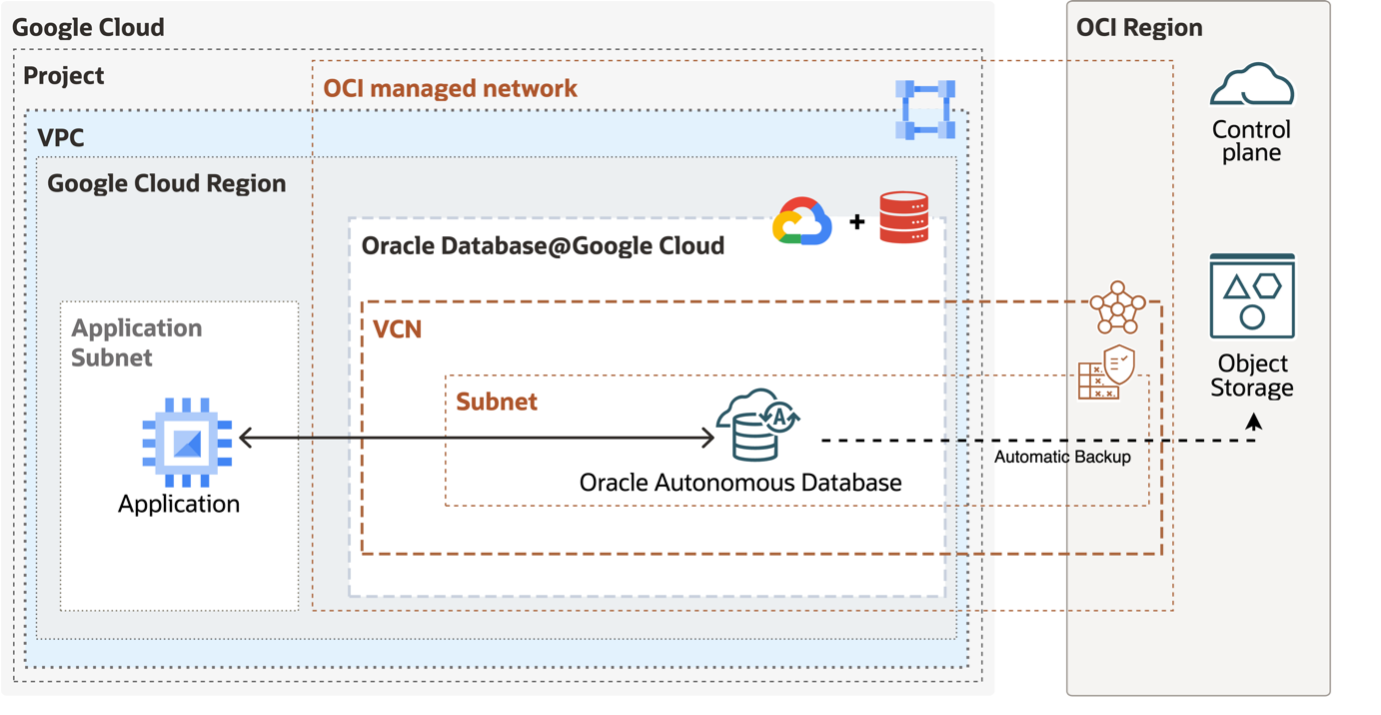
One of the standout features is the Automated Deployment Workflow with a Terraform Module. Forget the complicated setup — thanks to the OCI Multicloud Landing Zone for Google, you can quickly get started with Oracle Autonomous Database-Serverless (ADB-S). By using the handy prebuilt Terraform templates, you can automate the entire deployment process and smoothly set up your database on Google Cloud.
The tutorial kicks off by walking you through the process of deploying ADB-S in a brand-new Virtual Private Cloud (VPC). From there, you’ll provision an Ubuntu-based application VM complete with the Oracle Client preinstalled in a separate subnet, which makes it easy for your application and the database to communicate. By the end of this tutorial, you’ll have a fully operational Autonomous Database and application VM, perfectly set up for building your Retrieval-Augmented Generation (RAG)-based chatbot.
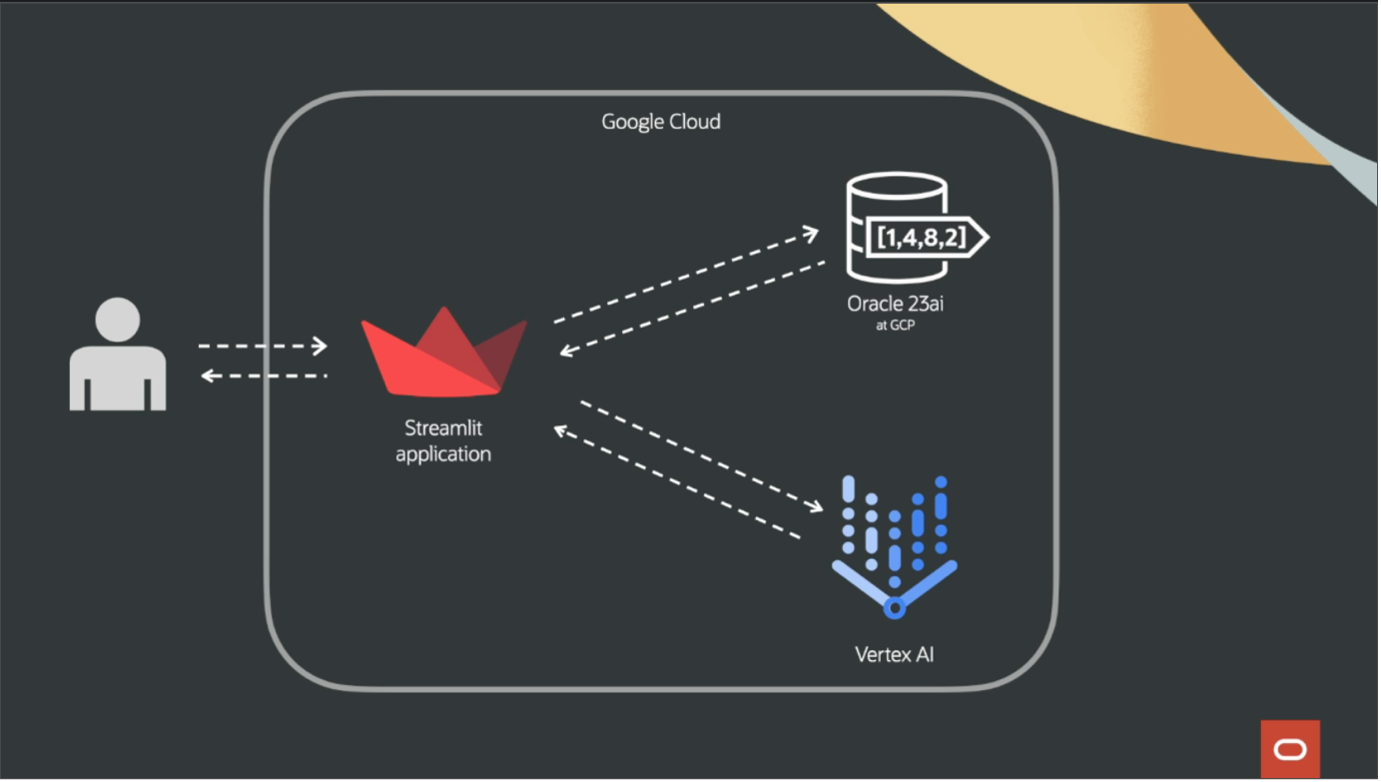
But that’s just the beginning! The tutorial also dives into Vectorizing Data in Oracle Database 23ai. You’ll learn how to turn structured text files into vector embeddings and store them in a vector-enabled database. Using Python and SQL, we’ll guide you through embedding generation and querying—all while integrating with a Generative AI model from Google.
Later, you’ll discover how to manage vector embeddings using the sentence-transformers library. This part of the tutorial shows you how to create machine-readable vectors and ensures your data is stored properly.
Plus, there’s a section on building a frontend with Streamlit, integrating responses from the Gemini model via Vertex AI. This makes your chatbot not only functional but also user-friendly!
Imagine: improved customer service with instant, accurate answers, reduced support costs, and empowered employees with quick access to critical information. Get started with the tutorial today and be sure to check out the OCI Multicloud Landing Zone for Google!