
Keeping a replication pipeline running is only part of an operator’s job. Teams also need to check that source and target data are in sync, provision resources consistently, and prepare data for AI applications that use vector embeddings.
Recent OCI GoldenGate capabilities address these tasks: MySQL and PostgreSQL connections for Data verification, a Veridata stack template, and connections for OCI Generative AI, OpenAI, Google Gemini, and Voyage AI. In this blog, we will explore their operational value and the steps from connection creation to a working configuration.
OCI GoldenGate Data Verification for MySQL and PostgreSQL data
OCI GoldenGate Data Verification, powered by Oracle GoldenGate Veridata, compares database data and reports discrepancies. Veridata Agents retrieve data from source and target databases, while the Server coordinates jobs and compares results. See About data verification in the OCI GoldenGate documentation for more details.
The MySQL and PostgreSQL family options for verification are listed in the complete support matrix. Always review it before selecting endpoints.
For a team validating a migration, the practical opportunity is to include supported MySQL and PostgreSQL databases in its verification plan. Start with representative application tables and define which data should match. In Veridata, a Compare Pair associates a source table with a target table, Groups organize those pairs, and a job runs their comparisons. See the verification taskflow for more information.
Provision OCI GoldenGate Data Verification resources with a stack template
Creating a data verification environment involves multiple deployments. The OCI GoldenGate Veridata service template in Resource Manager provisions one Veridata Server and two Veridata Agents automatically. The service templates documentation lists the OCI GoldenGate Veridata template along with a link to it.
The Data verification deployment creation screen puts that option directly in the Create deployment workflow.
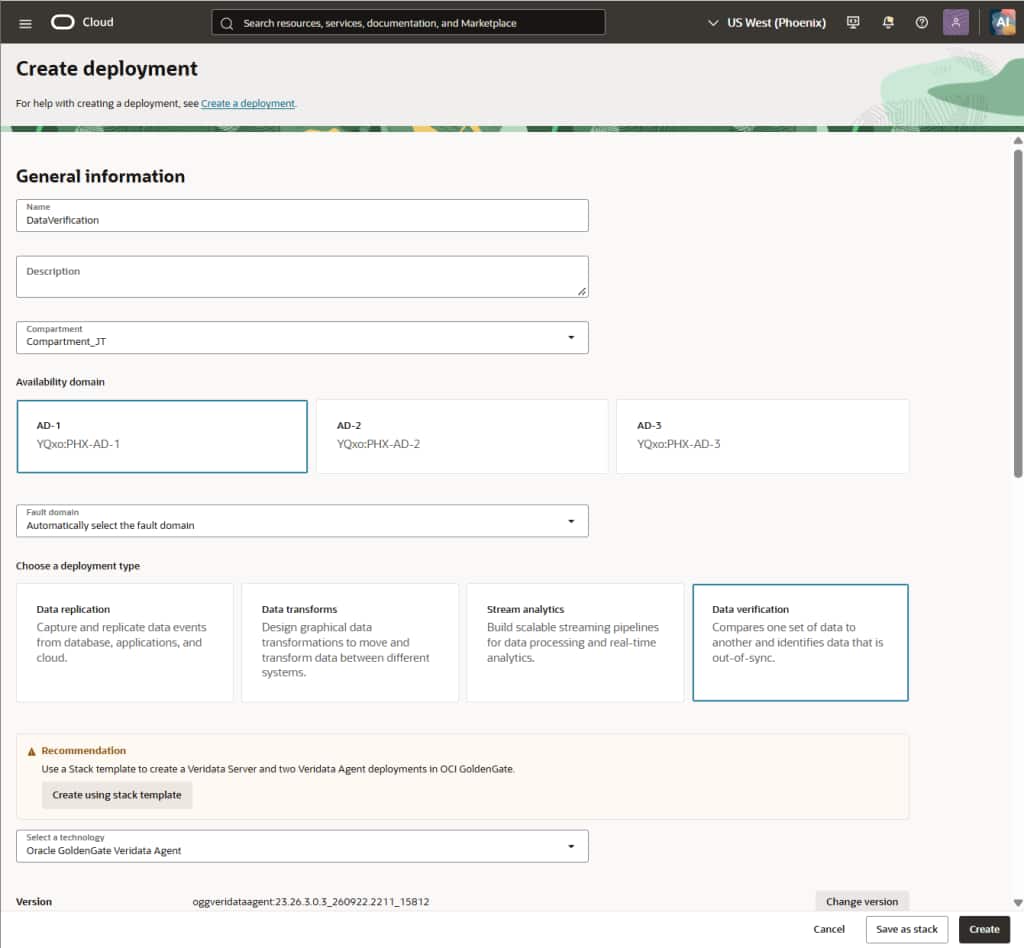
Resource Manager templates provide a prebuilt Terraform configuration. Create a stack from the template, review the configuration, and run an apply job to provision the resources. See Oracle-provided templates.
For operators, this offers three practical workflow benefits:
- Fewer repeated creation steps: provision the related Server and Agent deployments from a common starting point.
- More consistent provisioning: reuse the template approach when setting up another environment.
- Easier onboarding: discover the recommended topology while selecting Data verification, with a direct route into its creation workflow.
After provisioning, complete the connections and comparison configuration. Database connections are assigned to the appropriate Agent deployments, while GoldenGate connections for the Agents are assigned to the Server. Launch the Veridata console, verify the connections, and configure Groups, Compare Pairs, and jobs. Follow the Data verification taskflow to run and monitor a comparison.
Connect to AI providers
The connection menu now groups OCI Generative AI, OpenAI, Google Gemini, and Voyage AI under AI Services and Models, alongside AI Model.
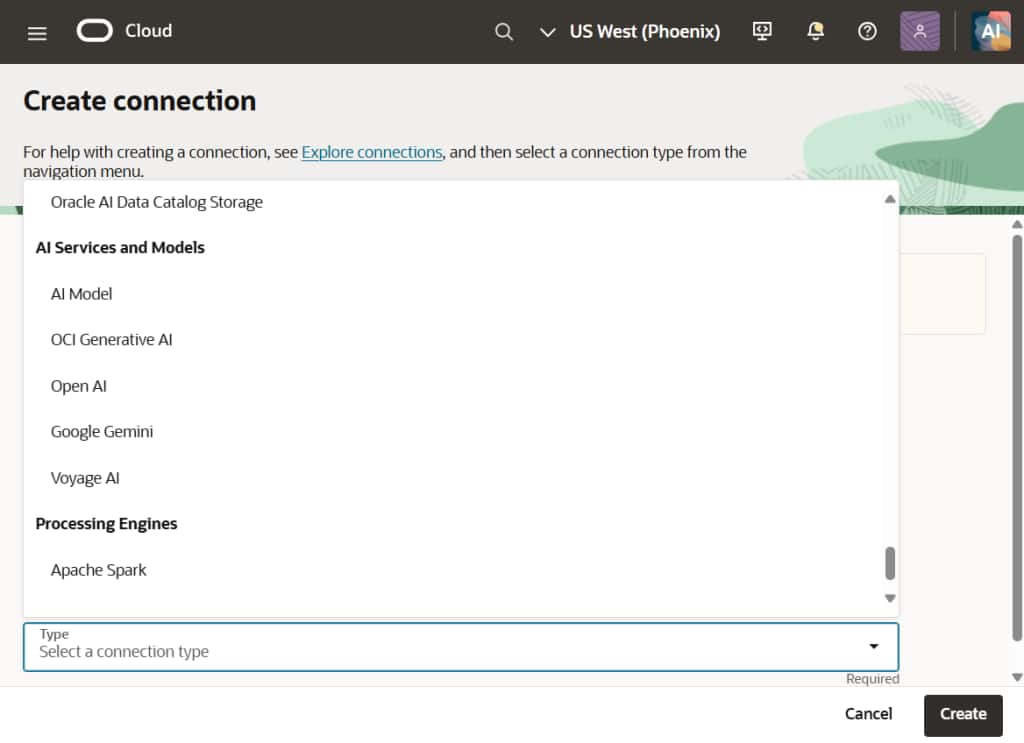
The AI provider connection records the service access details. Prepare network connectivity and the required Vault and Secrets access policies, then follow the relevant guide:
| Provider | Main connection details |
| OCI Generative AI | Tenancy and user selection, region, API key secret, and key fingerprint |
| OpenAI | API key authentication, API key secret, and Base URL |
| Google Gemini | API key authentication, API key secret, and Base URL |
| Voyage AI | API key authentication, API key secret, and Base URL |
Choose the model separately
An AI Model connection can reuse an existing provider connection or accept provider details directly. It also specifies the Model key and Max input characters. This makes the provider access configuration distinct from the model configuration used by the pipeline. See Create an AI Model connection.
These new connections allow OCI GoldenGate to generate vector embeddings within Data replication pipelines using GoldenGate 26ai and higher. A Replicat can call a configured model through @AISERVICE and map the returned embedding to a target column. See the @AISERVICE reference for more details. For example, a team could evaluate generating embeddings for product descriptions as it replicates them.
Follow the steps in the Create vector embeddings with AI Models quickstart to configure the AI Service and use an AI model in a Replicat.
Get started with OCI GoldenGate
These enhancements extend OCI GoldenGate Data Verification to more database platforms and simplify the provisioning of Veridata resources. Support for MySQL and PostgreSQL brings more databases into your verification workflows, while the stack template reduces the steps needed to create the Server and Agent deployments. The new AI connections give you a choice of providers for generating vector embeddings within replication pipelines.
To get started with data verification, review the supported database services and versions, use the Veridata stack template to create your deployments, and follow the Data verification taskflow to configure connections and comparison jobs. For AI enrichment, follow the Create vector embeddings with AI Models quickstart to configure your provider and model connections and generate embeddings from a Replicat.