

Apache Iceberg is highly relevant and apt for the modern-day Data Lakehouse systems. Apache Iceberg provides an open table format with snapshots, schema metadata, manifests, and data files that query engines can read.
You can now use Oracle GoldenGate for Distributed Applications and Analytics 26ai to configure Apache Iceberg replication into Amazon S3 API-compatible targets.
In this blog, I will focus on how to configure on-prem GoldenGate to create real-time Apache Iceberg-based open lakehouses using NetApp S3 storage.
What you will build
In this blog, you will configure Oracle GoldenGate for Distributed Applications and Analytics 23.26.1.0.0 to replicate data in real time to Apache Iceberg tables stored in NetApp S3 storage.
This blog focuses only on the NetApp replication configuration. Although source capture is not covered, a working replication deployment also requires a configured capture process to supply change data to Replicat.
The target architecture uses the Amazon S3 API-compatible NetApp storage, an Apache Iceberg Hadoop catalog, and Oracle GoldenGate Apache Iceberg handler to create and continuously update Iceberg tables without requiring an external processing engine.
In this blog, we will use Hadoop as the catalog type and Parquet as the iceberg file format. You can also use other S3 compatible Apache Iceberg catalogs such as AWS Glue, Nessie, Polaris or the REST catalog.
Before you begin
Please make sure you complete the following prerequisites before you start configuring target-side replicat.
- Configure NetApp S3 with endpoint, access and secret key
- Create a bucket in NetApp S3 with the necessary privileges
- Download the Oracle GoldenGate software relevant to your source system. For example, Oracle GoldenGate 23.26.1.0.0 on Linux x86-64 for Oracle
- Download the Oracle GoldenGate for DAA. For example, GoldenGate for Distributed Applications and Analytics v23.26.1.0.0 on Linux x86-64.
- Install Oracle GoldenGate and create a deployment.
- Add an Oracle GoldenGate Extract.
- Install Oracle GoldenGate for DAA 26ai and create a deployment.
- Add Distribution Path from the source Oracle GoldenGate deployment to the target Oracle GoldenGate for DAA deployment. Please make sure the trail files are seen in the target deployment.
- Review the Iceberg Common Dependencies and download the common dependencies and Hadoop AWS SDK Dependencies for Writing to AWS S3 (s3a:// Scheme)from maven central using the scriptdownload_dependencies.sh located within GoldenGate DAA home.
- ./download_dependencies.sh xmls/iceberg-common.xml
- ./download_dependencies.sh xmls/iceberg-hadoop-aws.xml
- Review configuration for Iceberg Hadoop Catalog and s3a:// Scheme. Additionally, review Configuration for Third-Party S3-Compatible Storage.
- Virtual-hosted style (for example, bucket.domain.com) is not supported by NetApp S3. Hence, please make sure the property gg.eventhandler.iceberg.awsS3PathStyleAccess is set to true
Create Apache Iceberg Replicat for NetApp S3
- Open Oracle GoldenGate for DAA Administration console
- Click + Add Replicat

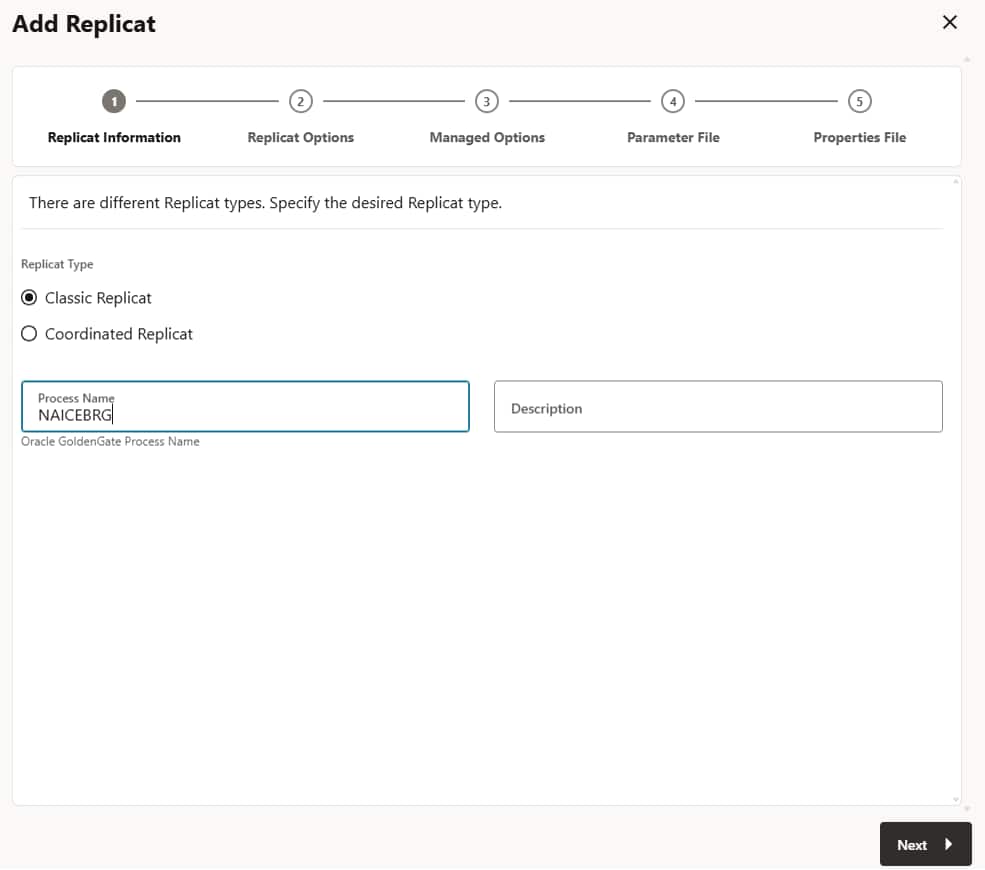
- Provide details in the Replicat Information page, Select Replicat Type and provide a meaningful Name (Max. 8 Characters). Click Next
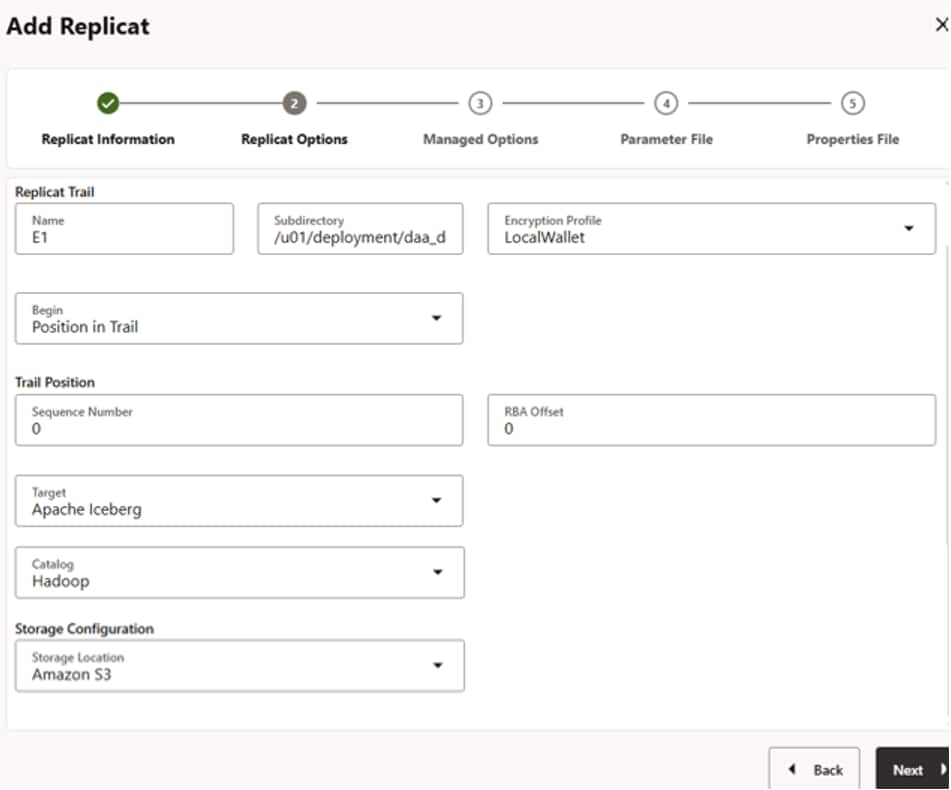
- Provide details in the Replicat Options page,
- Provide the name of the Trail file (received from source deployment via distribution path)
- If required, provide the location of the trail file. For example, /u01/deployment/daa_deployment/var/lib/data
- Select Target as Apache Iceberg
- Select Catalog as Hadoop
- Select Storage Location as Amazon S3
- Click Next
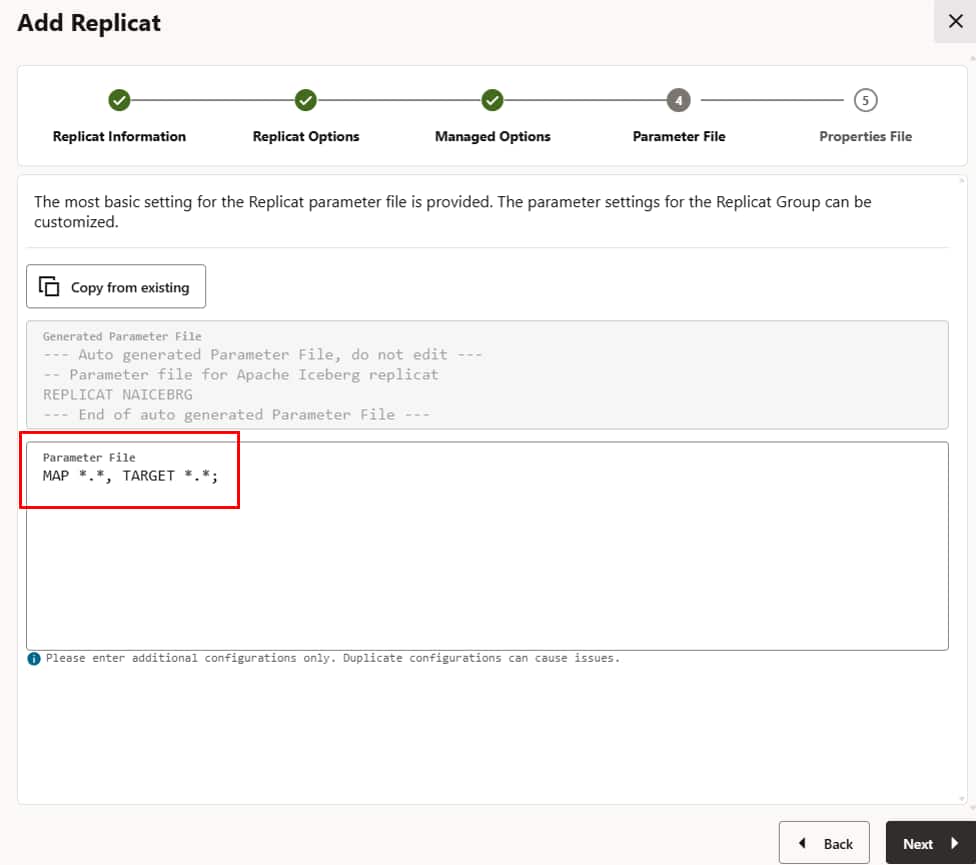
- Provide details in the Parameter File page. Click Next.
- Provide details in the Properties File page.
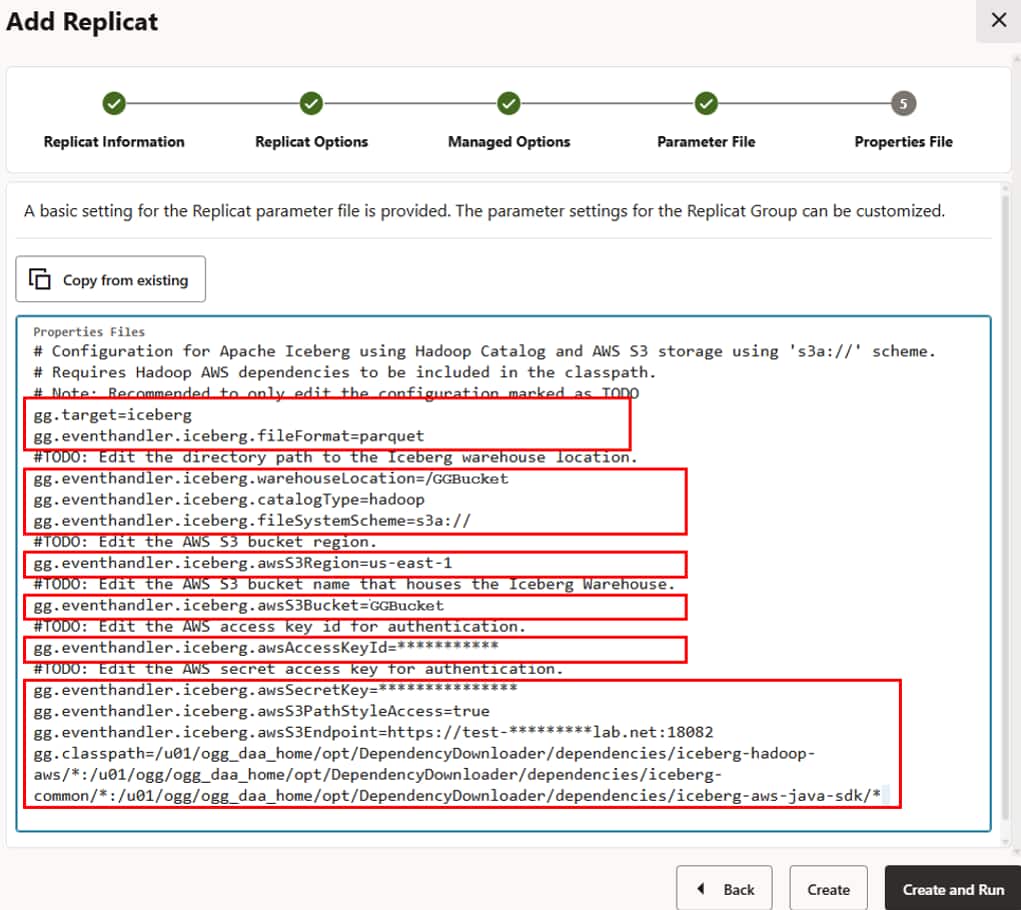
Below is a reference Properties File.
# Configuration for Apache Iceberg using Hadoop Catalog and AWS S3 storage using 's3a://' scheme.
# Requires Hadoop AWS dependencies to be included in the classpath.
# Note: Recommended to only edit the configuration marked as TODO
gg.target=iceberg
gg.eventhandler.iceberg.fileFormat=parquet
#TODO: Edit the directory path to the Iceberg warehouse location.
gg.eventhandler.iceberg.warehouseLocation=/GGBucket
gg.eventhandler.iceberg.catalogType=hadoop
gg.eventhandler.iceberg.fileSystemScheme=s3a://
#TODO: Edit the AWS S3 bucket region.
gg.eventhandler.iceberg.awsS3Region=us-east-1
#TODO: Edit the AWS S3 bucket name that houses the Iceberg Warehouse.
gg.eventhandler.iceberg.awsS3Bucket=GGBucket
#TODO: Edit the AWS access key id for authentication.
gg.eventhandler.iceberg.awsAccessKeyId=***********
#TODO: Edit the AWS secret access key for authentication.
gg.eventhandler.iceberg.awsSecretKey=***************
gg.eventhandler.iceberg.awsS3PathStyleAccess=true
gg.eventhandler.iceberg.awsS3Endpoint=https://test-*********lab.net:18082
gg.classpath=/u01/ogg_daa_home/opt/DependencyDownloader/dependencies/iceberg-hadoop-aws/*:/u01/ogg/ogg_daa_home/opt/DependencyDownloader/dependencies/iceberg-common/*:/u01/ogg/ogg_daa_home/opt/DependencyDownloader/dependencies/iceberg-aws-java-sdk/*
Note: For security reasons, sensitive values are masked.
For more details about Apache Iceberg replicat properties, refer to Oracle GoldenGate documentation.
- Click Create and Run.
- Review the Replicat statistics once the replicat starts and confirm the Apache Iceberg tables in the NetApp S3 storage.
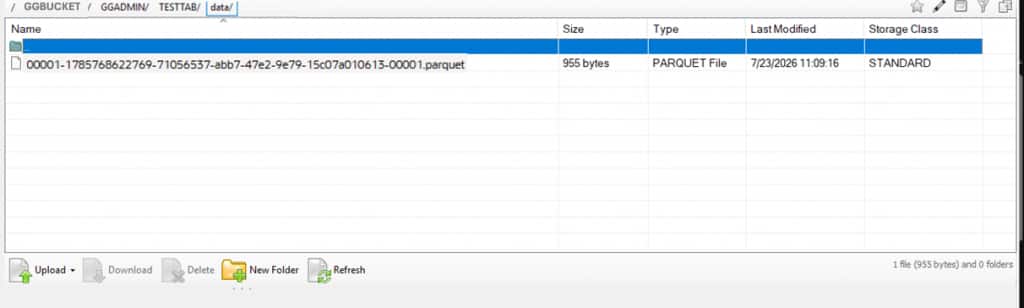
** The image above is for illustrative purposes only and represents the S3 file browser interface.
Conclusion
Oracle GoldenGate for DAA 26ai capability to deliver operational changes into an Apache Iceberg analytical architecture for Amazon S3 API-compatible NetApp storage in real-time enables enterprises to have faster decision-making, resilient applications, and near-real-time AI and analytics. The result is greater operational agility, lower infrastructure risk, faster time to insight, and a flexible data foundation that supports evolving business, regulatory, and customer demands.