
GoldenGate Studio 26ai introduces support for additional databases and new recipes that streamline the creation and rollout of high-volume, real-time data replication pipelines. It automatically handles table and column mappings and produces optimized configurations derived from established best-practice templates. With its user-friendly interface, you can get replication up and running quickly and with minimal effort.
Getting Started with Oracle GoldenGate Studio 26ai (Video)
The new features added to GoldenGate Studio 26ai are:
- Support for Oracle GoldenGate 26ai
Connect to GoldenGate 26ai deployments that introduces new features such as embedded AI service, automatic schema evolution, an updated UI console, a new security plug-in framework, air-gap data streams, and many other features. - Creating connections to MySQL databases
GoldenGate Studio now supports MySQL as a database technology - MySQL one-way replication recipe
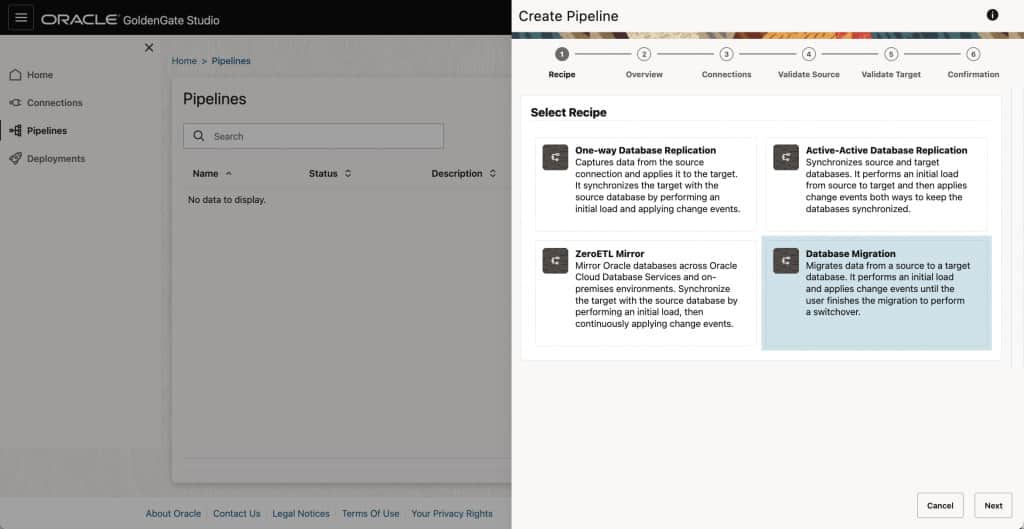
Perform replications between MySQL databases using initial load and reliable, seamless change data capture. GoldenGate Studio provides a simplified way to perform complex homogeneous replications while automating technical complexities. - Database Migration recipe for Oracle and MySQL
Migrate databases between different environments on-premise, hybrid, or multi-cloud using GoldenGate Studio.
GoldenGate Studio 26ai (23.26.1) is available as patch 38821818 on Oracle Support; it will be added soon to Oracle Container Registry to download a docker-compatible image in both commercial and free versions.
More information:
- Product page: Find out more information about Oracle GoldenGate 23ai in our GoldenGate page
- Download: Installer through Oracle Software Delivery Cloud
- Documentation: