
This post was written by a guest contributor, Rishi Johari, Product Manager at Oracle.
You can now use a plugin from the Container Engine for Kubernetes cluster details page of the Oracle Cloud Infrastructure Console to easily connect to your Kubernetes cluster by using Cloud Shell. When you use Cloud Shell, you don’t need to install any tools locally to access your Kubernetes cluster!
In addition to the command line interface (CLI), Cloud Shell provides the following commonly used Kubernetes tools:
- A preinstalled version of kubectl, a command line tool for controlling Kubernetes clusters
- A preinstalled version of Helm, a package manager used to deploy applications to Kubernetes clusters
This post walks you through the process of using Cloud Shell to access your Container Engine for Kubernetes (OKE) cluster and deploy an Nginx application.
Prerequisites
- A Container Engine for Kubernetes cluster—create one in just minutes!
- A valid Cloud Shell IAM policy
Access a Cluster Using Cloud Shell
-
In the Oracle Cloud Infrastructure Console, navigate to your clusters by selecting Developer Services, and then Container Clusters (OKE).
-
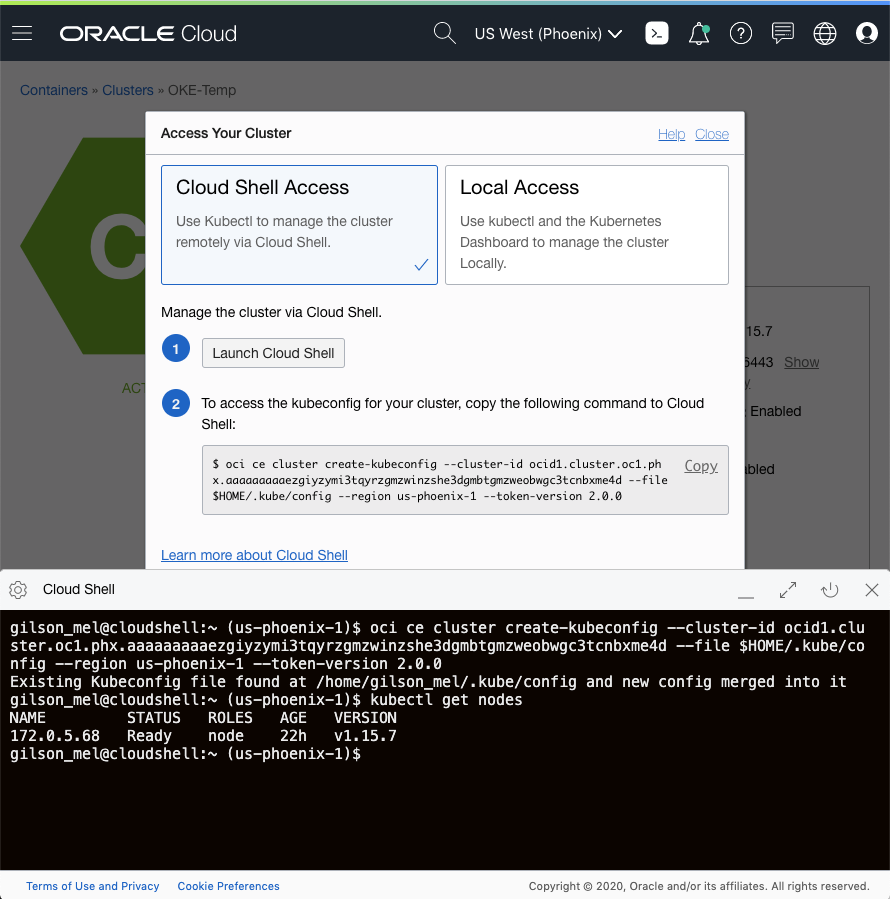
Select your cluster, and then click Access Cluster.
-
Select Cloud Shell Access.
-
Click Launch Cloud Shell.
-
Copy the command that begins oci ce cluster.
-
Paste the copied command into Cloud Shell.
-
Verify that you can connect to your cluster with kubectl using Cloud Shell by running the kubectl get nodes command.
Deploy an Nginx Application Using Helm
On the same cluster, deploy an Nginx Helm chart by using Cloud Shell.
-
Add an Nginx Helm repository:
$ helm repo add bitnami https://charts.bitnami.com/bitnami $ helm repo update -
Deploy it by using the Helm 3.x client:
$ helm install my-release bitnami/nginx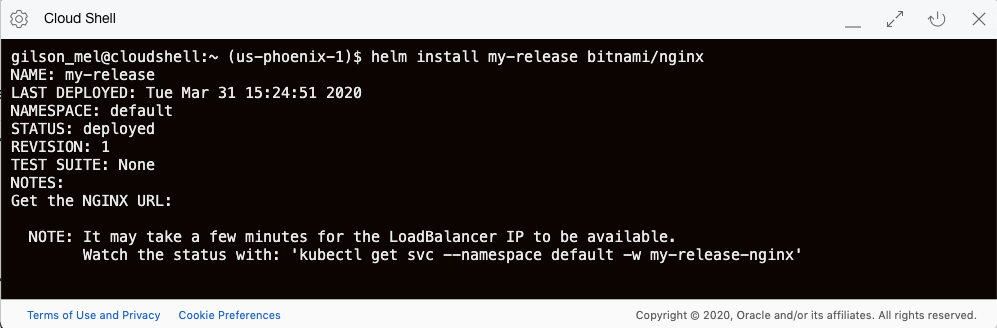
-
Check the new Nginx pod:
$ kubectl get pods,svc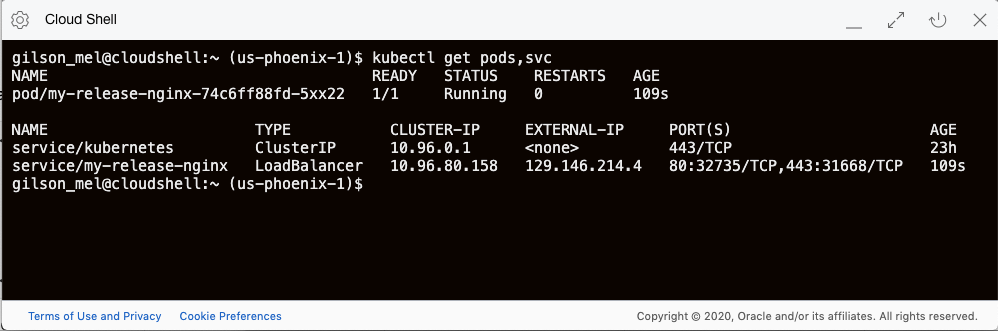
-
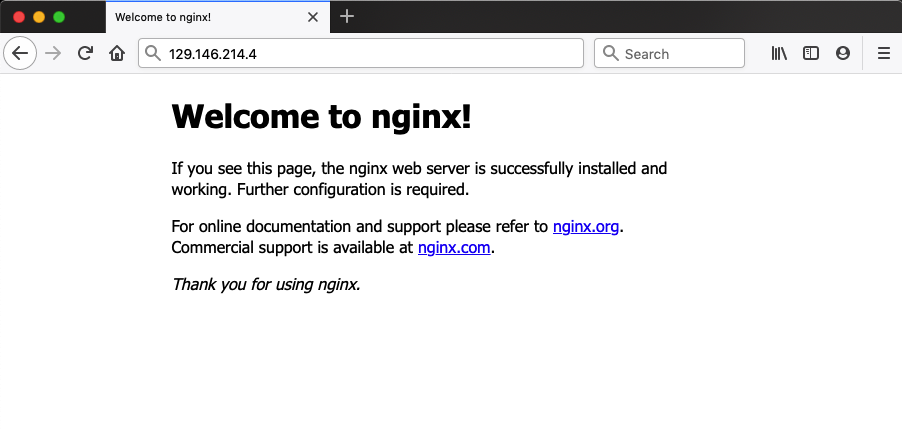
Open a web browser to verify the Nginx page using the load balancer public IP info gathered in the previous step
Clean Up
In Cloud Shell, run the following commands to uninstall the Helm chart and verify that it was removed:
$ helm uninstall my-release
$ kubectl get pods,svc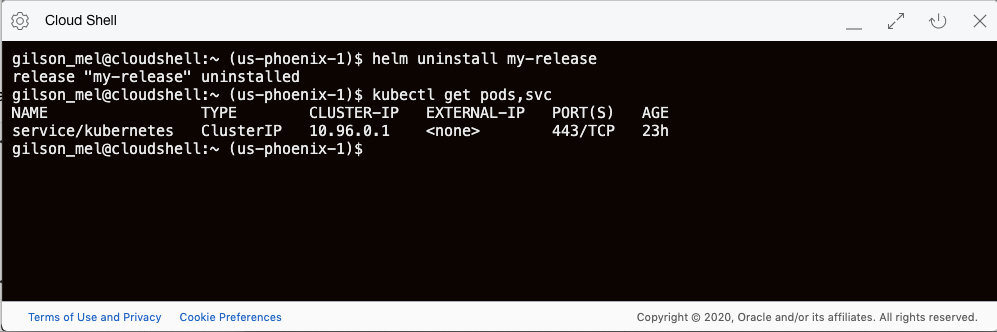
Try Cloud Shell Today
Follow these steps yourself. If you don’t already have an Oracle Cloud account, sign up for a free trial today.